

36 of the Best Apps for Traveling in Europe (+ Offline Options)
This site contains affiliate links and is a member of the Amazon Associates Program. At no additional cost to you, I may receive a commission from these links. I only make recommendations based on my experience. See my Disclosure Policy for more info.
Planning your European adventure but worried about how you’ll accomplish your itinerary with just a smartphone?
During my first solo trip in 2013 through Ireland, England, and France, I arrived completely unprepared with just WhatsApp. I also quickly discovered that Wi-Fi wasn’t as abundant as expected, making offline options essential for me going forward.
Over the past 13 years, I’ve personally tested dozens of travel apps across 29 European countries, everywhere from Austria to Switzerland, the best of which now make my travels effortless.
Whether you’re a budget-conscious traveler trying to avoid roaming fees or someone who’s never traveled internationally and feels intimidated by tech travel prep, this guide shares only the best apps for traveling in Europe!
In this guide, I’ll reveal the apps that actually saved me time and money and helped alleviate stress during my European adventures (especially as a solo female traveler), whether that’s travel authorizations needed to enter the country, offline maps that’ll save you in Wi-Fi dead zones, easy ways to split costs with friends, and other common travel worries.
What are the best apps for traveling in Europe?
The best apps for traveling in Europe include Maps.me for offline navigation, Omio for train and bus bookings, Google Translate for language support, Citymapper for public transportation, and Splitwise for managing group expenses. These apps help travelers save time, money, and stress while navigating Europe.
The Best Apps for Traveling in Europe at a Glance
| Travel Need | Recommended App | Last Tested |
|---|---|---|
| Offline Maps | Maps.me | 2025 |
| Public Transit | Citymapper | 2025 |
| Train Tickets | Omio | 2025 |
| Language Translation | Google Translate | 2025 |
| Currency Conversion | My Currency Converter/Calculator on iPhone | 2024/2025 |
| Budget Tracking (for Groups) | Splitwise | 2023 |
| Tours | GetYourGuide | 2025 |
| Solo Travel | Bumble BFF—to meet fellow travelers | 2026 |
Before You Travel to Europe
Phone Plans
I was with AT&T for several years and always used data (or Wi-Fi when I could find it) on my usual plan while traveling.
I’m now with T-Mobile and have a similar setup where texting and high-speed data (up to a limit before it becomes slower) are free with my regular plan.
During my 4.5-month trek solo across Europe in 2025 through 18 countries, I only once needed the additional international plan to make a phone call. It cost me $5 for the day.
I know many tout the benefits of SIMs/eSIMS, but I’ve never seen the need when I have an option built into what I’m already paying for.
If you feel similarly, contact your phone company to ensure that whatever country you’re visiting is covered under your plan and that your phone is set to the right settings to work abroad.
Download in Advance
Stay ahead of the game by downloading all the apps you’ll need before you embark on your European adventure!
If you’re planning to avoid using your phone data while abroad, it’s best to download ahead of time or while connected to Wi-Fi.
Adding this to your list of things to do before a trip also lets you get familiar with the apps and load on anything you may need, such as tickets if they don’t autosync, offline maps, offline languages, etc.
How I Tested These Travel Apps
I’ve personally used these apps while traveling through 29 European countries between 2013 and 2025.
Each recommendation is based on firsthand experience using the app for transportation, navigation, accommodation, budgeting, or trip planning.
I always aim to find apps that are accessible on all phones and don’t cost a fortune to purchase or subscribe to.
I’ll continue to update this article as I discover better alternatives or additions.
Top Apps for Traveling in Europe
Trip Planning Apps
1-2. Google Docs / Google Sheets
I’ve mentioned Google Docs and Google Sheets extensively in my post about planning an international trip, so I won’t go into detail here.
I will, however, remind you that if you plan to use either of those platforms, downloading the corresponding Google app to add your itinerary to your phone is super helpful.
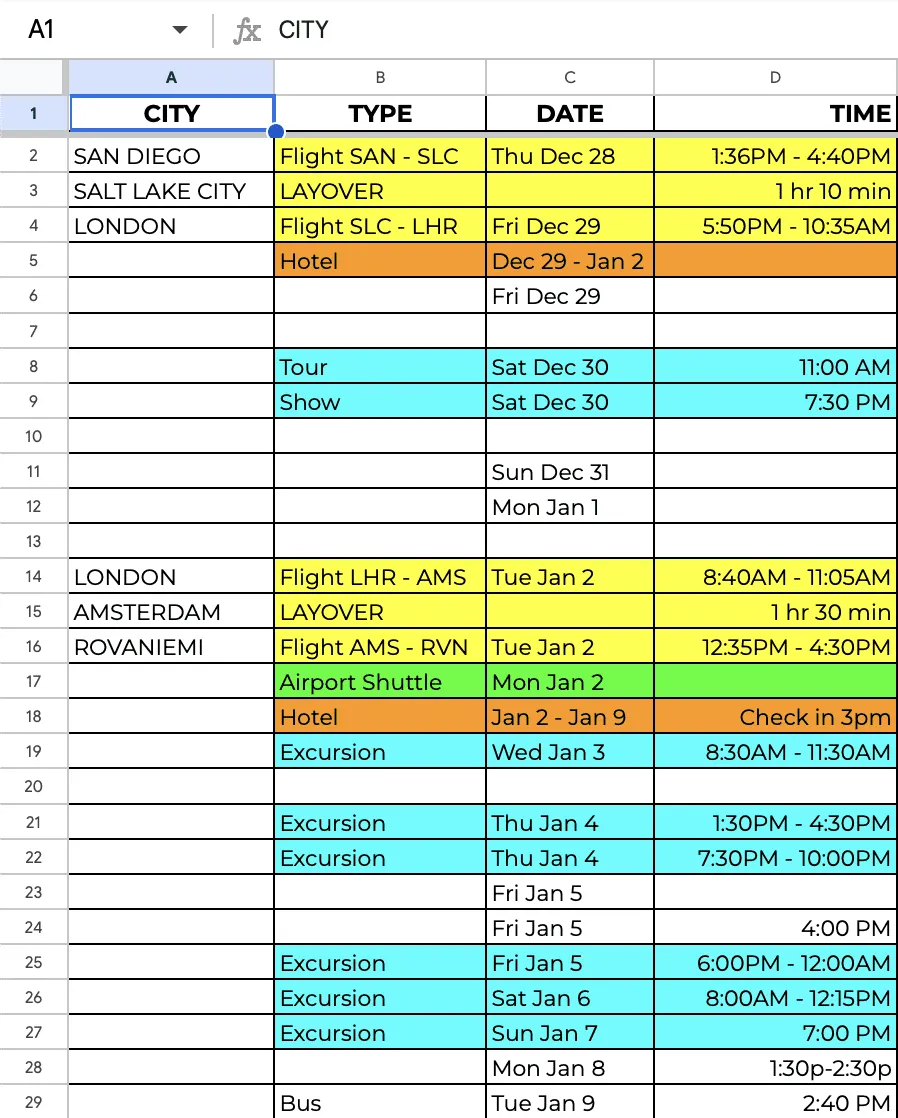
Once you do, you can also make your Doc or Sheet available offline so that it’s still accessible even without data or wifi.
3. Time Zone Converter / Clock
If you’re really not great at telling what time it is back home or elsewhere after crossing time zones, an app such as Time Buddy is a great help.
When I was traveling from Italy to Thailand, it helped me to know when those back home in California would likely be awake, so that I wasn’t disturbing anyone’s sleep by reaching out at 4 am their time.
This is also super helpful if you plan to be working abroad.
On iPhones, you can also click the Clock, then World Clock.
4. Yelp / TripAdvisor
I’ve found Yelp and TripAdvisor reviews of local restaurants helpful when deciding where to eat, especially if the place is popular and requires advance reservations.
Also, post-COVID, it’s helped me know whether certain establishments are still open, as many unfortunately closed due to the pandemic.
Getting excited for a restaurant just to find out it’s closed is truly disappointing.
5. Atlas Obscura
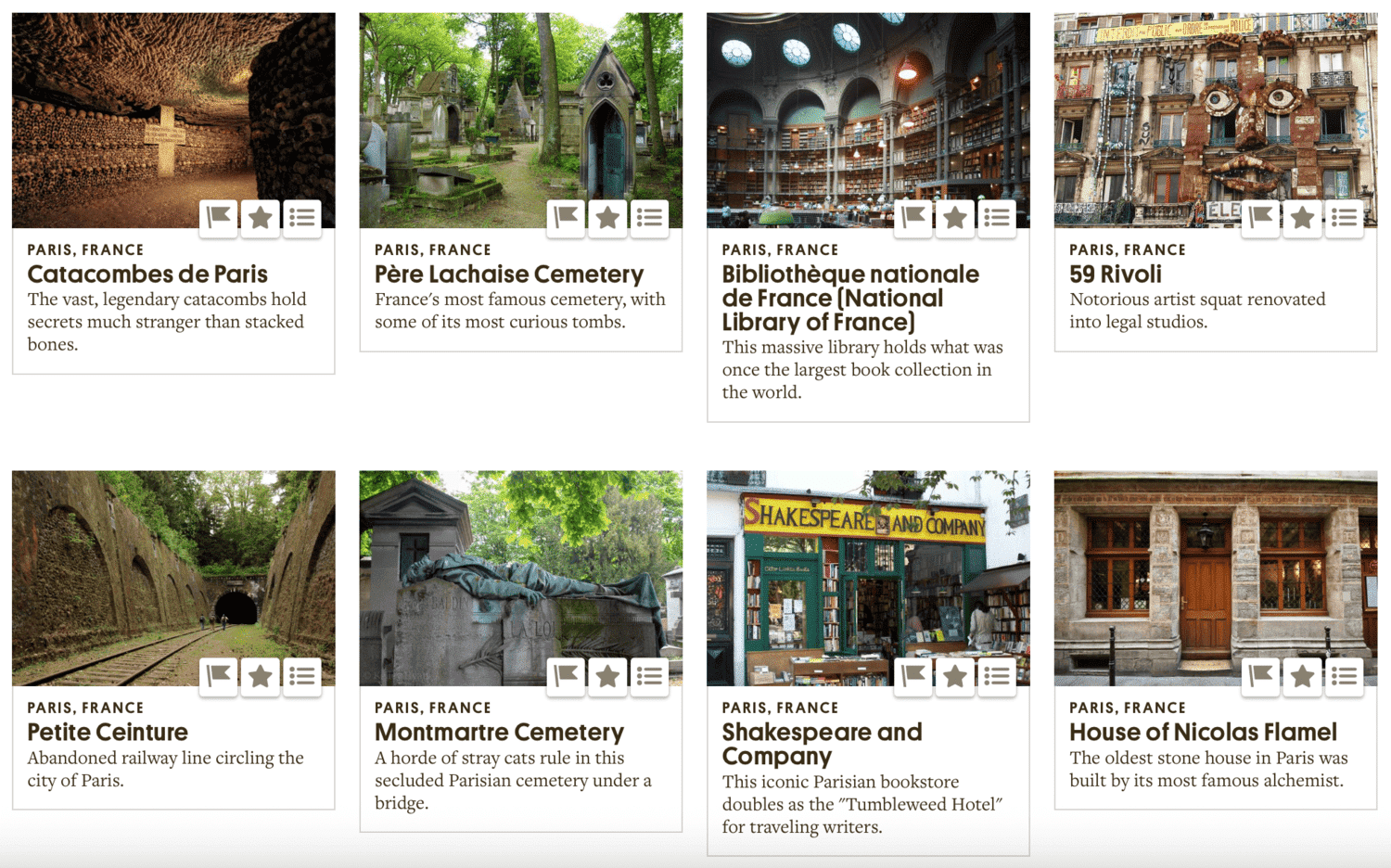
If you’re looking for hidden gems, there is no better place than Atlas Obscura.
Here you won’t find the Eiffel Tower under their list of things to do in Paris, but instead cool and usual options like the Catacombs, Montmartre Cemetery, and the House of Nicolas Flamel.
These lesser-known picks are why it’s one of my favorite apps for traveling in Europe!
Do check out my stories posted on Atlas Obscura as well (I’m part of their Adventurers Program)!
Passport and Entry Apps
6. ETA
With the United Kingdom having rolled out the Electronic Travel Authorisation (ETA), it’s best to download this app and apply at least 3 days before your trip.
I’ve done the ETA one, and it took about 5 minutes to fill out, but less than that to get approved.
Even though my experience was fast, that doesn’t mean everyone’s will be, so I strongly suggest sticking to the 72-hour rule.
On my way to London from Oslo, a couple behind me didn’t have this submitted, so they were told they wouldn’t be allowed on the plane, even though they were merely passing through on the way back to Canada.
So even if it’s only a layover in the UK, you must apply.
7. ETIAS
Many countries in Europe (the Schengen Area) are following suit with a similar program called ETIAS.
As of March 2026, it was stated that ETIAS will start operations in the last quarter of 2026, but it won’t be mandatory until 2027; however, do keep an eye out for it, as even though there’ll be a 6-month transitional period where they won’t refuse you entry, you don’t want to get caught in limbo once they enforce it.
The fee is confirmed at €20 per application (up from the originally planned €7).
Transportation and Navigation Apps
8. Maps.Me
One of the best apps for traveling in Europe is Maps.Me!
A friend had recommended it before I left for my Austria trip in 2018, and it was literally the most useful app I had!
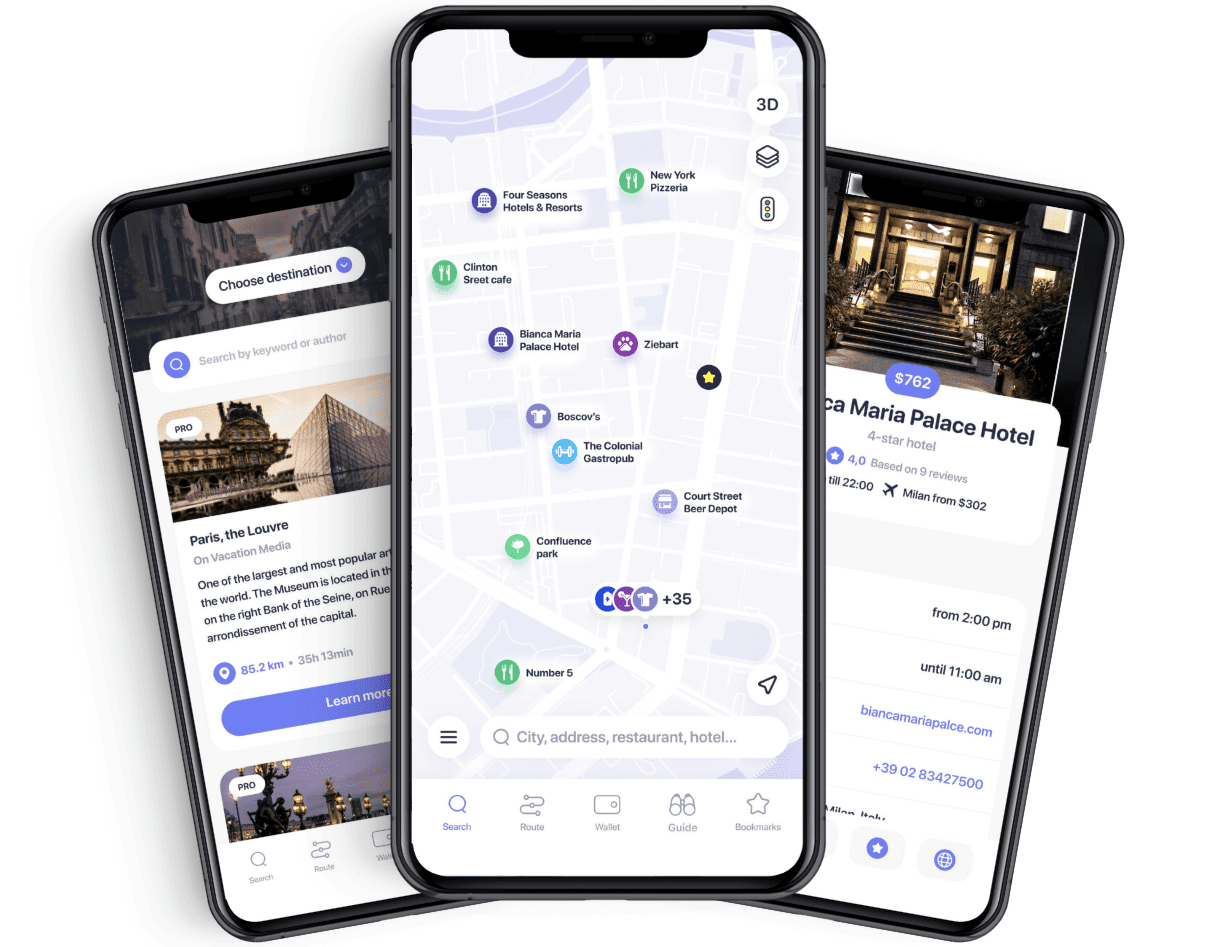
All I had to do was download the maps ahead of time, and I was all set.
If you don’t want to use data while abroad, this offline option was a Godsend.
In Vienna, I was able to look up public transport routes from my hotel to attractions.
In some smaller cities, it didn’t show public transport, but it still gave driving and walking directions. The latter of which I used while driving around the Greek island of Rhodes.
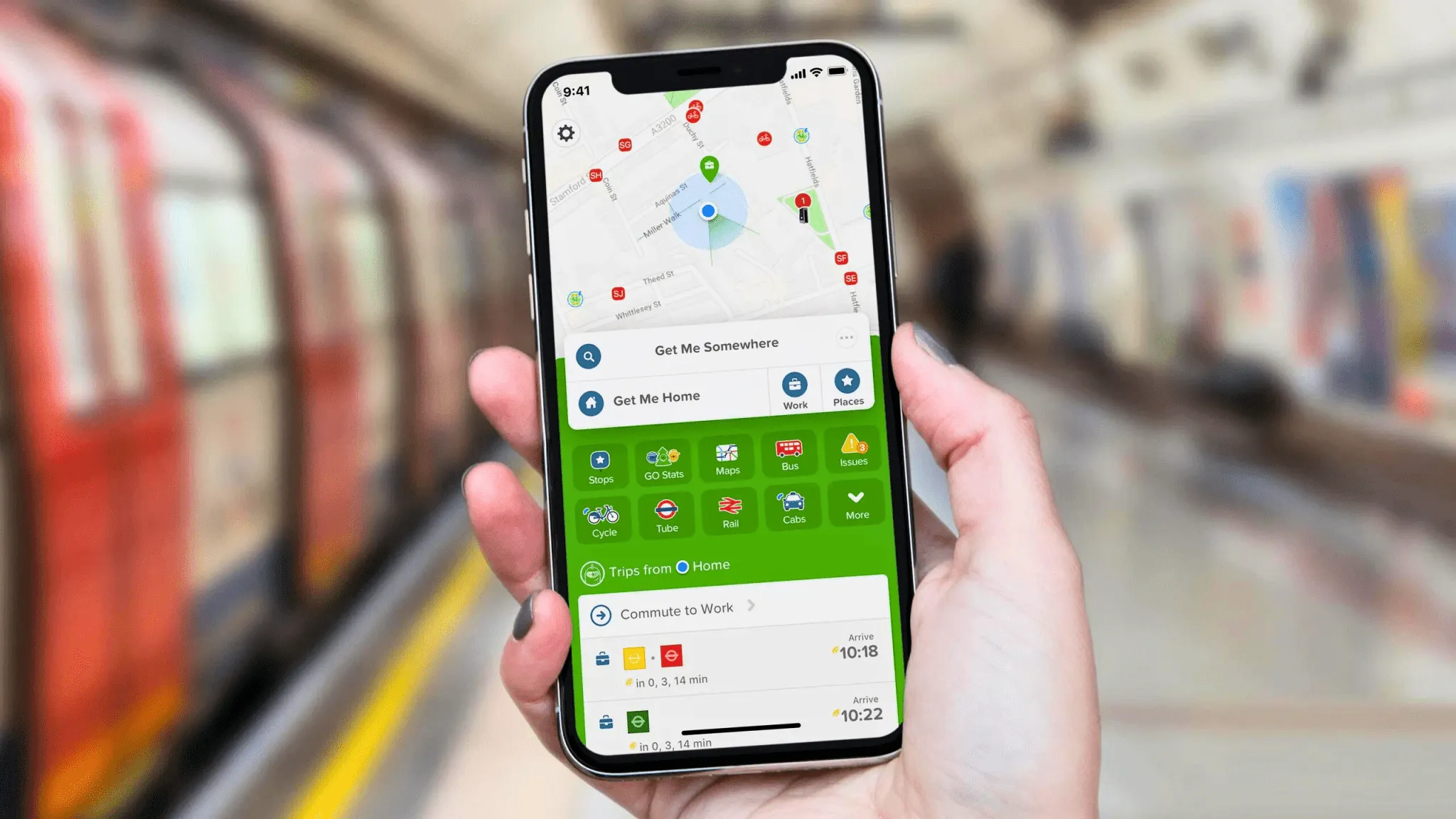
9. Citymapper
Citymapper is one of my new favorite apps for traveling!
It was recommended to me by my friend in London, who uses it daily for her commute.
It helps you find your way from point A to point B by walking, biking, e-scooter, bus, Tube, rail, and more!
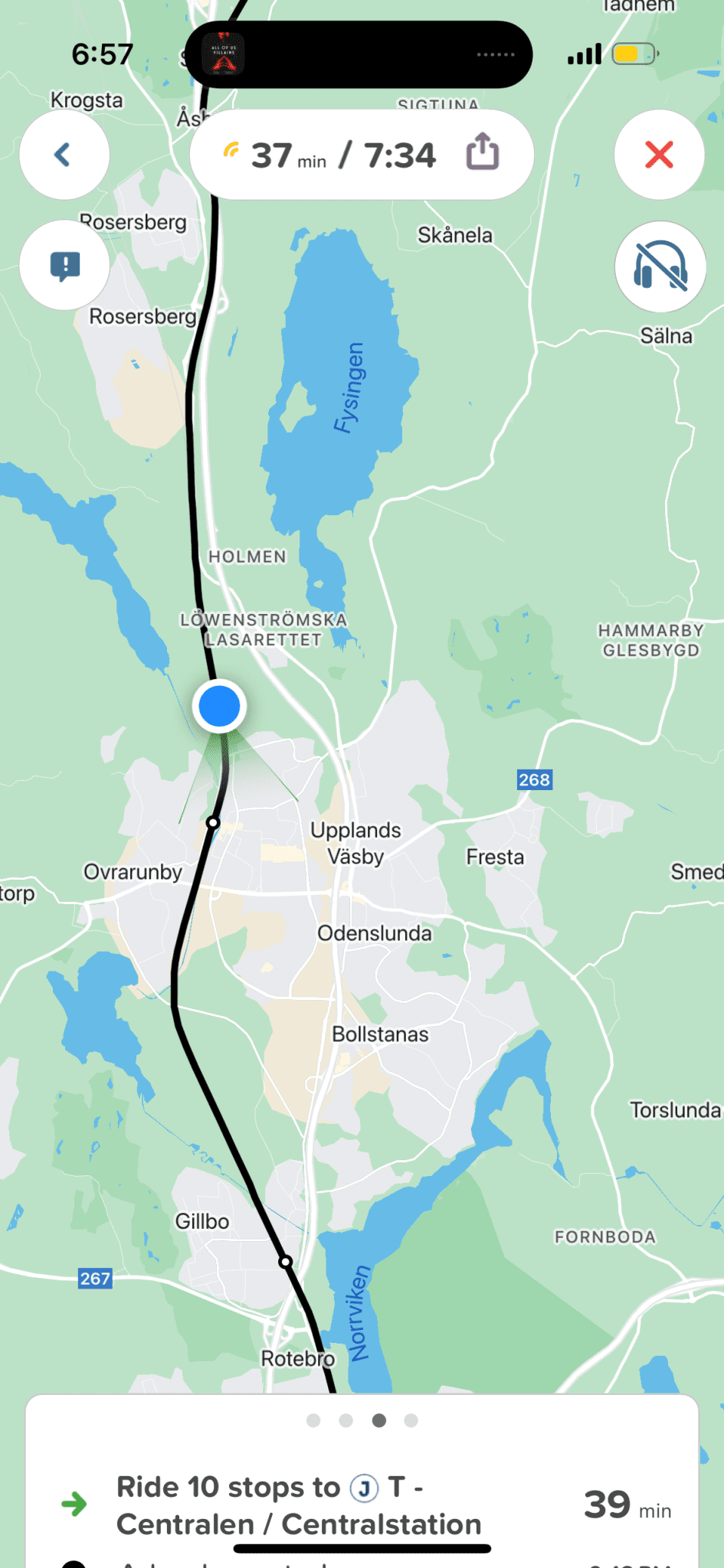
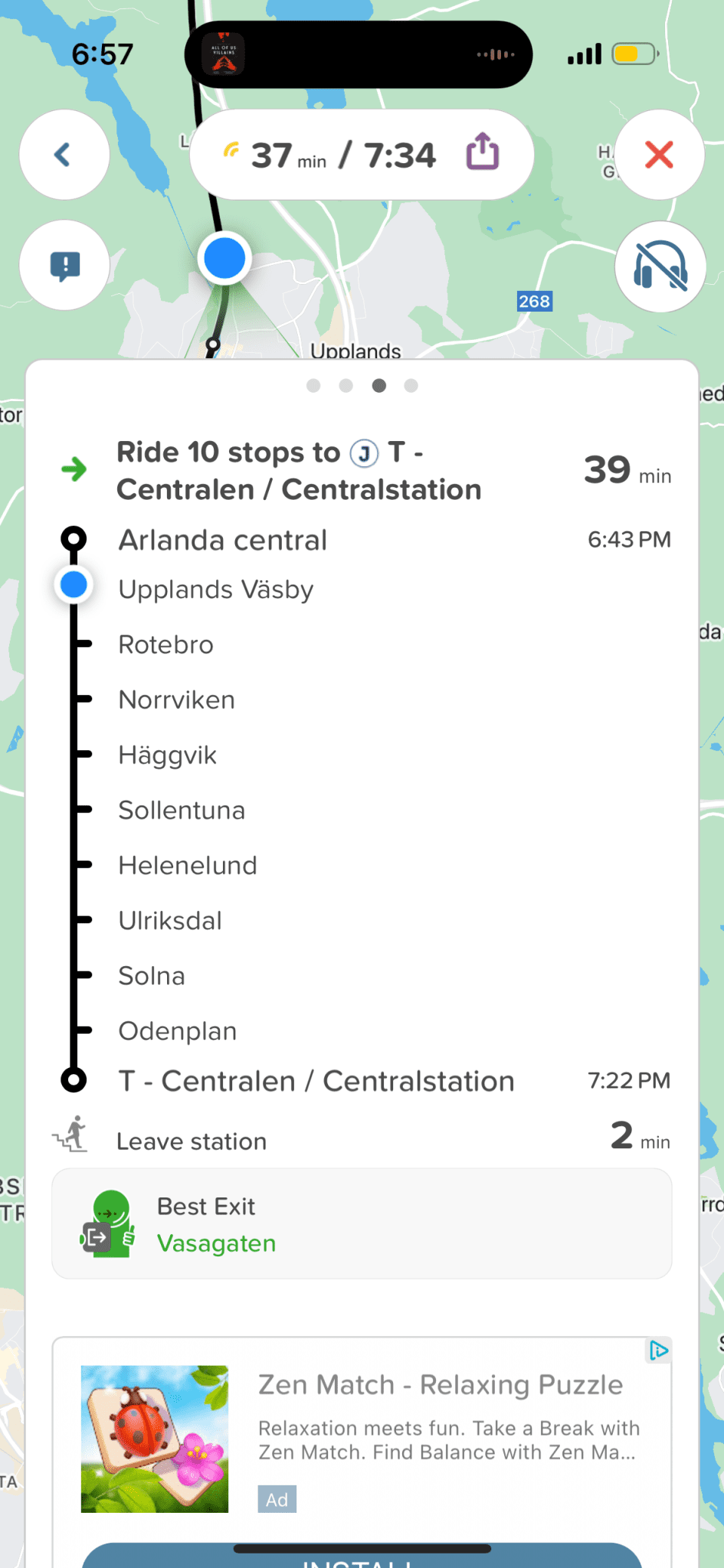
What I love about it a little more than Maps.me is that it provides live information, so if that train is delayed, it’ll let you know, or if you’re approaching your stop, it alerts you.
It’s really handy if you’re not familiar with the city’s layout or have trouble reading the names.
The only advantage Maps.me has over Citymapper is that you can get map info practically anywhere, while Citymapper does have some limitations on what cities it covers.
10. Google Maps
Google Maps is especially helpful if you build a Google My Maps ahead of time or download one from a blogger like me (you can find maps in my day-by-day itineraries).
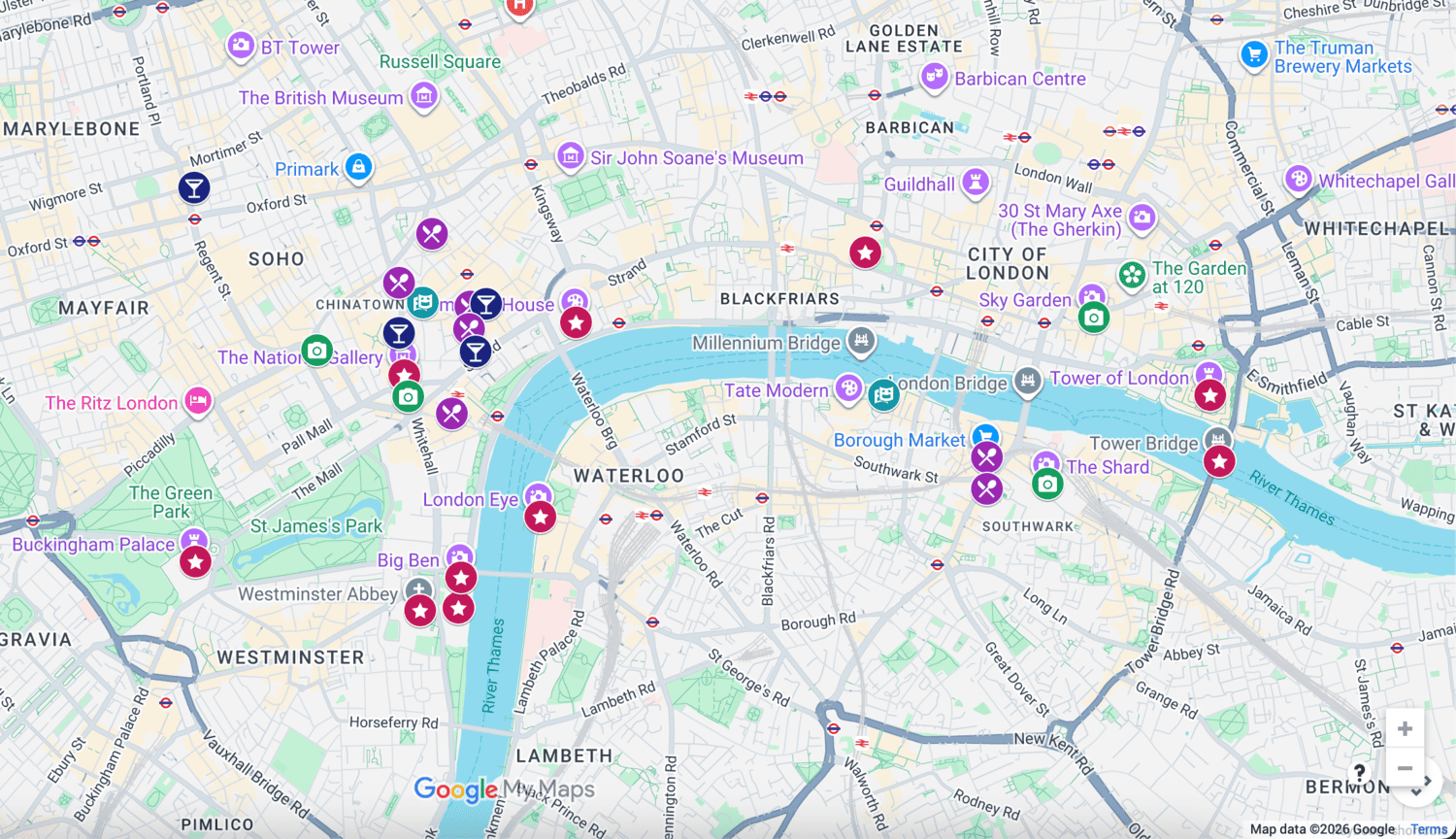
This way, you won’t have to constantly search on your map for the next site you’d like to visit. Instead, you’ll have pins that’ll appear easily, letting you know what’s nearby, what’s open, and how to get there.
You can also make Google Maps available offline by downloading a city in advance; however, be aware that My Maps isn’t available offline.
Maps.me vs Google Maps for Europe
Both apps offer offline functionality, but they work differently in practice.
Maps.me lets you download entire country maps in advance, so it works with zero data or Wi-Fi, including walking and driving directions in smaller cities and rural areas.
Google Maps can also work offline if you download a city in advance, but with one real limitation: My Maps, the feature bloggers like me use to build custom itinerary maps with pinned attractions, isn’t available offline.
That means if you’re following a pre-built Google My Maps itinerary, you’ll need data or Wi-Fi to access it, even if the base map itself is downloaded.
My take: use Maps.me as your primary offline tool, especially in smaller towns or rural areas, and treat Google Maps as a strong backup, particularly useful for finding nearby restaurants, checking opening hours, and following a pre-built itinerary map when you do have a connection.
11. Flixbus
I traveled around four European countries using Flixbus as it’s an affordable way to travel, so having the times and tickets on hand was absolutely necessary.
Salzburg → Munich → Ljubljana → Vienna

I booked all my tickets in advance, so I just had to scan each ticket’s QR code to add it to the app. If you book in the app, they should auto-populate.
One downside: I couldn’t see up-to-the-minute information on my phone without Wi-Fi, but the tickets were available without it.
12. Omio
I used Omio consistently during my 4.5-month European trip to find trains and buses between cities and countries.
It’s a great app that offers tickets for trains, buses, flights, and ferries, as well as car rentals and airport transfers.
My budget tip is to book in advance, as that’s when you’ll find the best deals!
13. Travel Ticket
A specific iPhone issue I discovered while traveling throughout Europe is that Apple Wallet opens automatically when you try to scan a QR code.
Picture this: super early morning in Amsterdam. I had bought my ticket on Omio, but pulled up the PDF in my email rather than the app, cause it was EARLY, and I didn’t even think of the app.
The turnstile wouldn’t let me scan the QR code.
Thank goodness there was staff there; otherwise, I would have missed my train to Belgium. While Googling how to solve this issue, I found Travel Ticket.
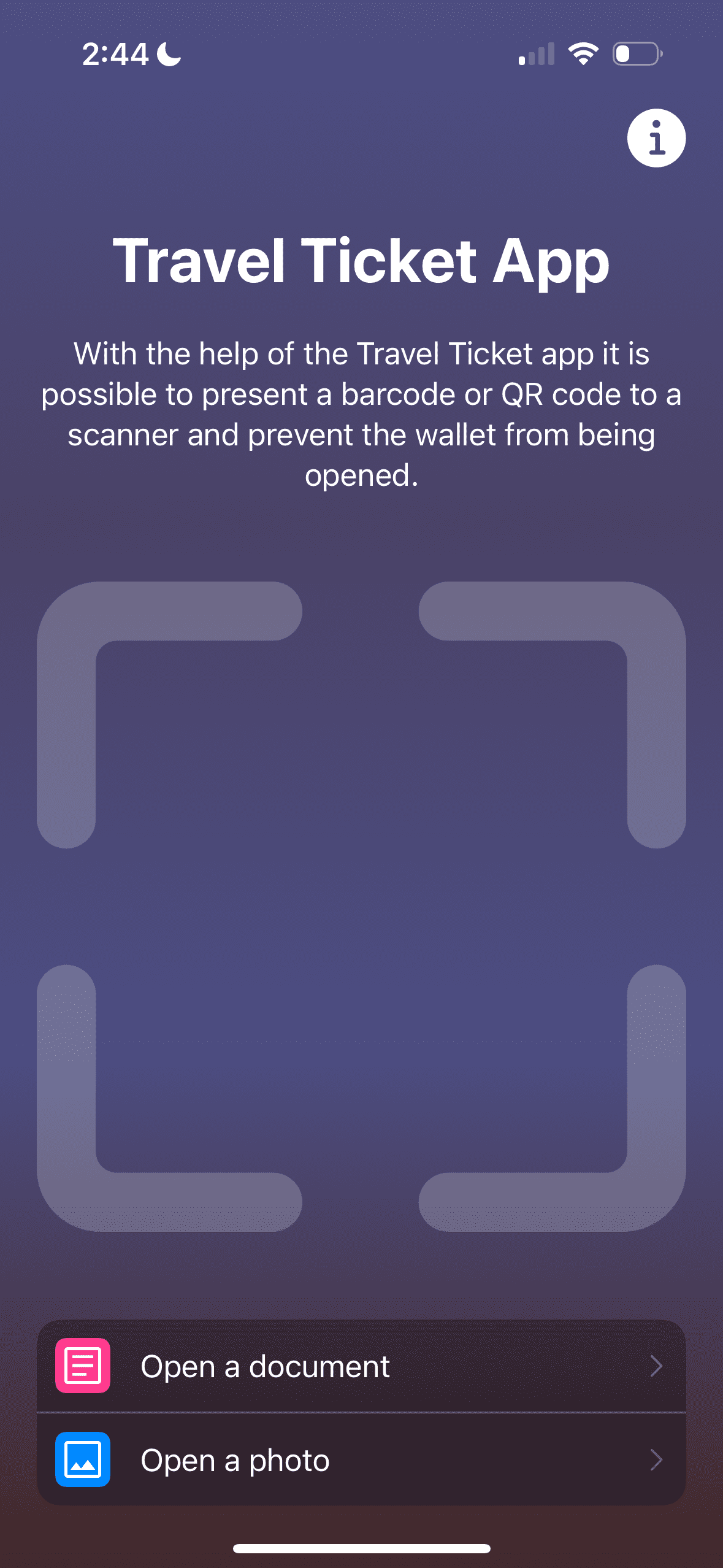
On Android, you can just turn off the Google Wallet, but not so on Apple!
So this nifty app helps you pull up any QR code without issue.
14. Country-Specific Transport Apps
Some countries have made it extremely easy to use tap-on/tap-off for their public transportation, while others have not.
Case in point, Switzerland.
Switzerland does not have this technology, so my options were to use a ticket booth (if one was available) or to download the SBB Mobile app.
While in most countries in Europe, you won’t need to download a country-specific app, do check before visiting.
Here are a few common ones in case Omio doesn’t cut it:
- Germany: MVGO (Munich public transport), BVG (Berlin public transport)
- France: Bonjour RATP (Paris Metro/bus)
- Netherlands: NS (Dutch Railways)
- Spain: TMB App (Barcelona Metro/bus), Renfe (national railways)
- Italy: Trenitalia (national railways), ATM Milano (Milan transport), ATAC Roma (Rome transport)
- Switzerland: SBB Mobile (Swiss Federal Railways), ZVV (Zurich transport)
- Austria: ÖBB (Austrian Federal Railways), Wiener Linien (Vienna transport)
- Belgium: SNCB/NMBS (national railways)
- Denmark: DSB (Danish railways), DOT (Copenhagen transport), Rejseplanen (national journey planner)
- Sweden: SL (Stockholm transport), SJ (Swedish railways)
- Norway: Ruter (Oslo transport), NSB/Vy (national railways), Entur
- Portugal: CP (Portuguese railways), Carris/Metro Lisboa (Lisbon)
- Poland: PKP Intercity (national railways), Jakdojade (multi-city planner)
🇫🇷 If you’re heading to the City of Light, check out my post on Paris travel apps.
15. Uber / Lyft
Depending on which countries you’re visiting will dictate which rideshare app you should use.
When I was in Portugal and Spain, I used Uber a lot as it was more convenient.
I also love that Uber lists what languages the driver speaks! You can see it in the screenshot below, next to the driver’s name from my time in Mexico City.
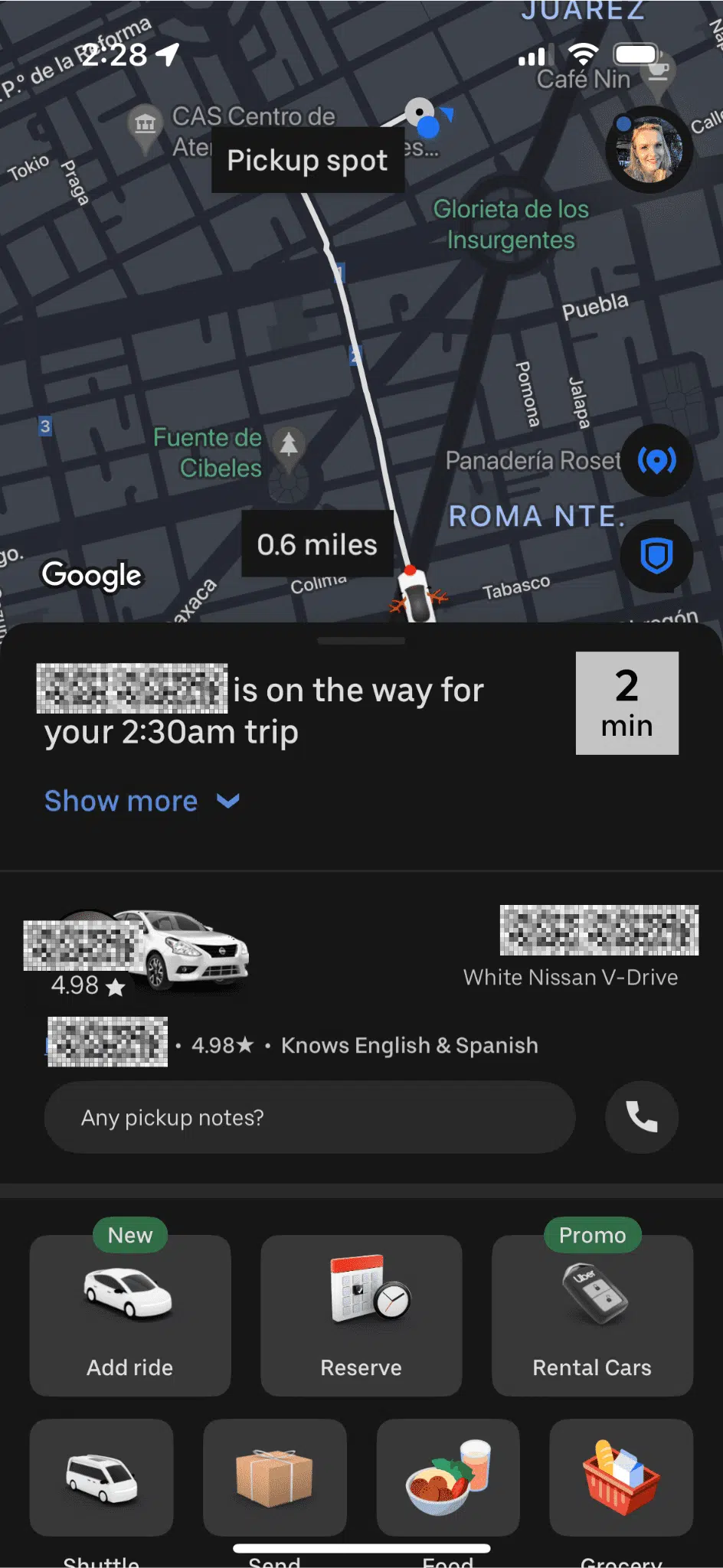
Of course, you can use taxis, but as a solo female traveler, I find the ease of rideshare apps and the fact that they track the ride comforting, so they’re a must on my list of apps for Europe travel.
Taxis can also sometimes be more expensive than ridesharing options.
Check out my essential apps for solo female travelers that prioritize your safety!
16. Airlines
For whatever airline you plan to fly, it’s important to download their app so you get up-to-the-minute updates.
Just recently, I got a notification that they were looking for volunteers to bump off my flight and take a later one in exchange voucher. I wound up not taking it, but it was nice to have the offer and a simple way to proceed if I wished.
The app also makes it easy to check in and use almost any other standard service you could need, such as customer support.
Additionally, some budget airlines like Ryanair don’t print boarding pass at the airport, so downloading the app ahead of time is your only option!
Money and Currency Apps
17. Apple Wallet / Google Wallet
Whether you’re an iPhone user like me or prefer Google Wallet, these apps are a game-changer for your European trip.
They seamlessly connect to your credit cards, allowing you to simply tap your device to pay at numerous locations throughout Europe.
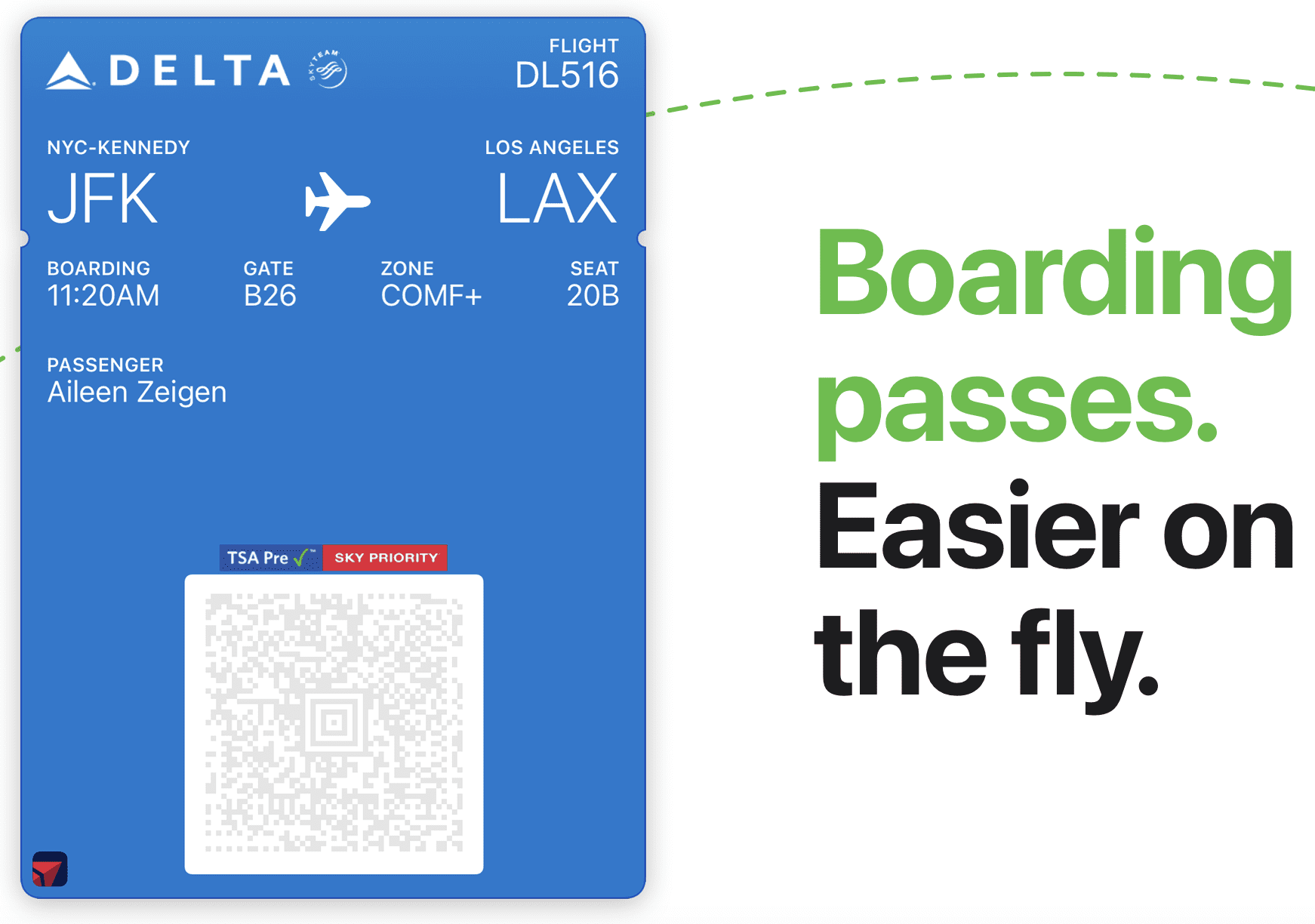
I found this feature particularly useful while visiting England, where I used it to tap in and out of tube stations.
You can also store your vaccine card, tickets, boarding passes, and more, making several necessary items easy to access.
And since COVID, many places prefer card over cash, so this is a simple way to use your card.
Both Apple Wallet and Google Wallet work offline.
18. Currency Exchange Calculator / Calculator
Another app I highly recommend on this list of the best apps for traveling in Europe is a currency exchange converter, so that you’re more aware of how much you’re spending!
The one I use is called My Currency Converter and is pretty simple.
All you need to do is punch in the currency of the country you’re visiting, and then your home currency to get the exchange rate.
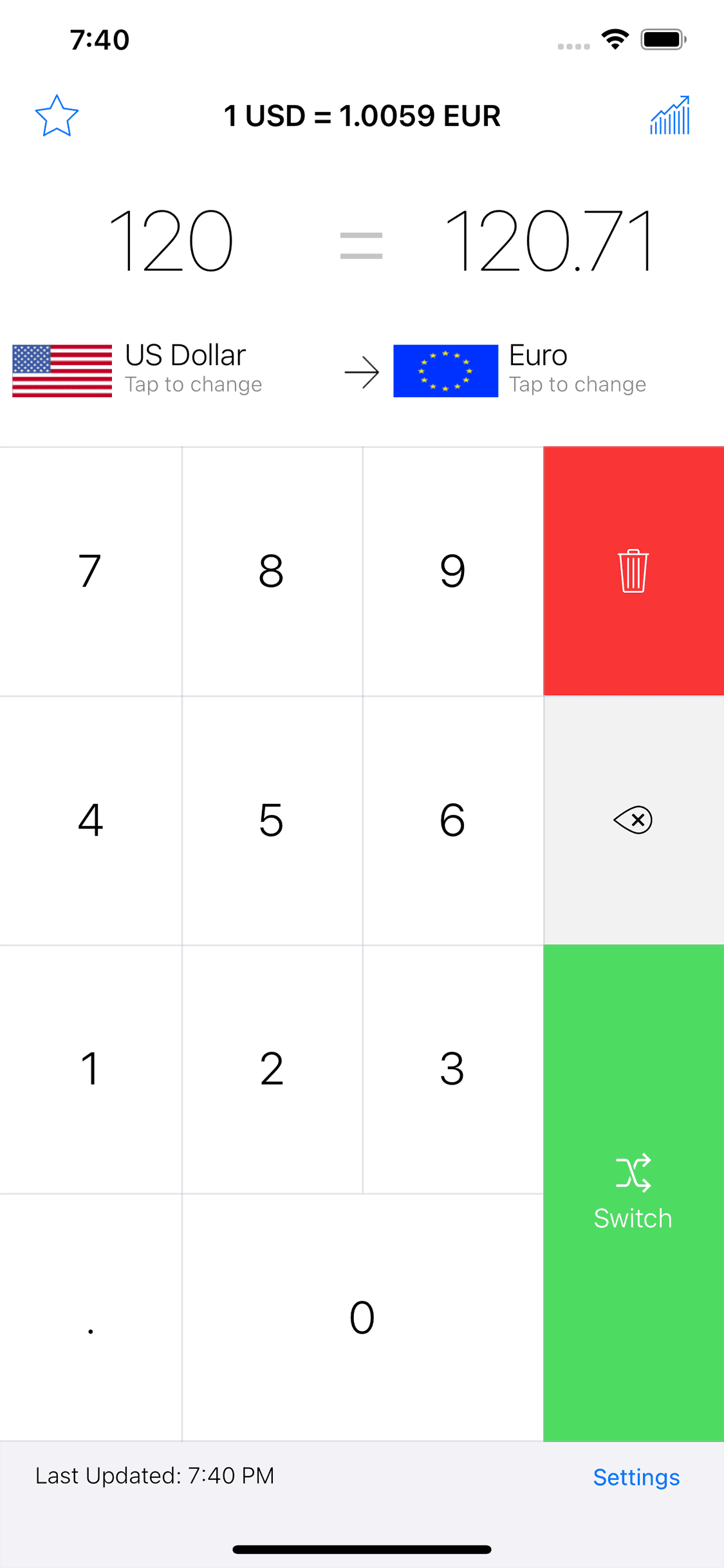
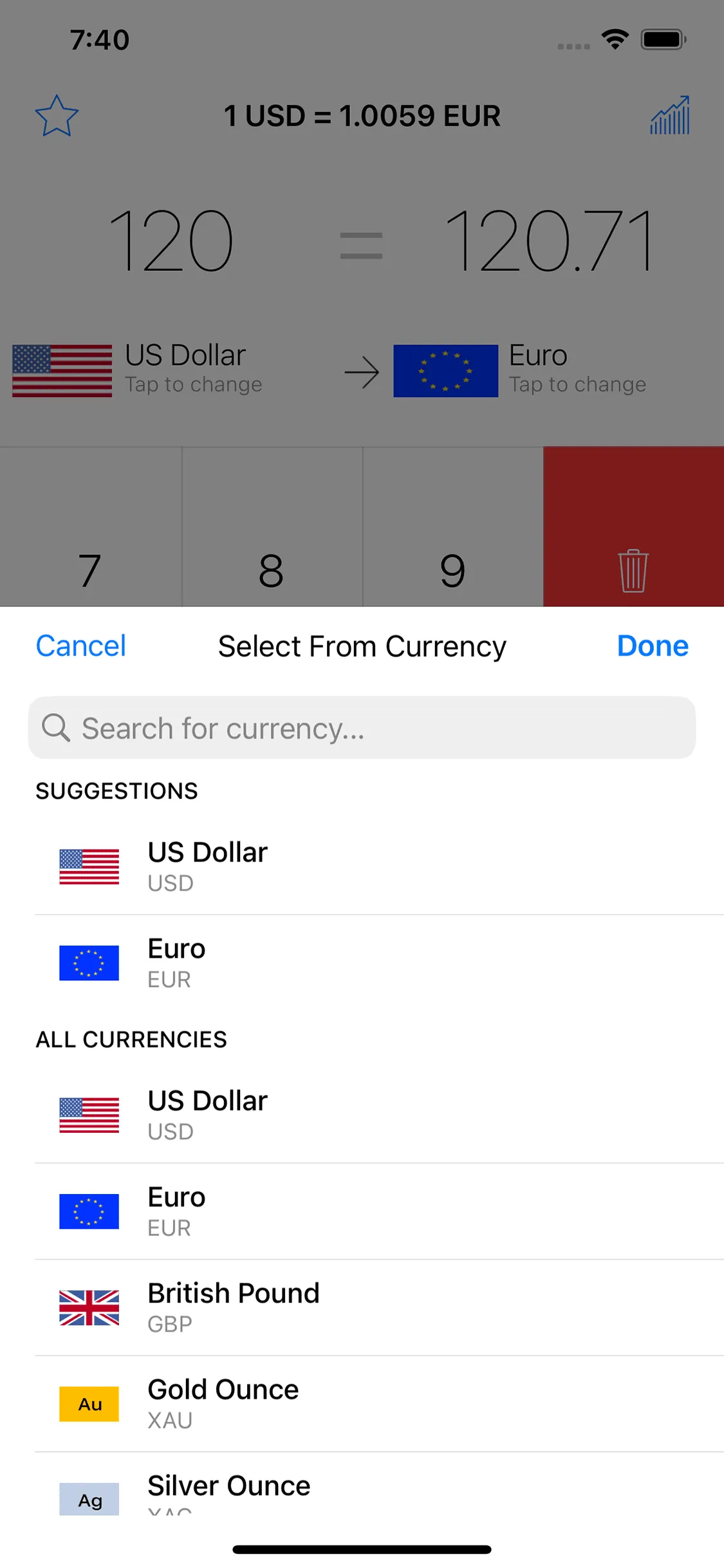
Alternatively, on iPhone, you can now use the Calculator to perform conversions by tapping the Calculator icon in the app, then tapping Convert.
19. Splitwise
One of the most recent apps I’ve been a fan of is Splitwise.
It was recommended to me on a trip to Vegas with two of my friends.
It made entering expenses, tracking them, and settling up with them at the end of the trip so simple!
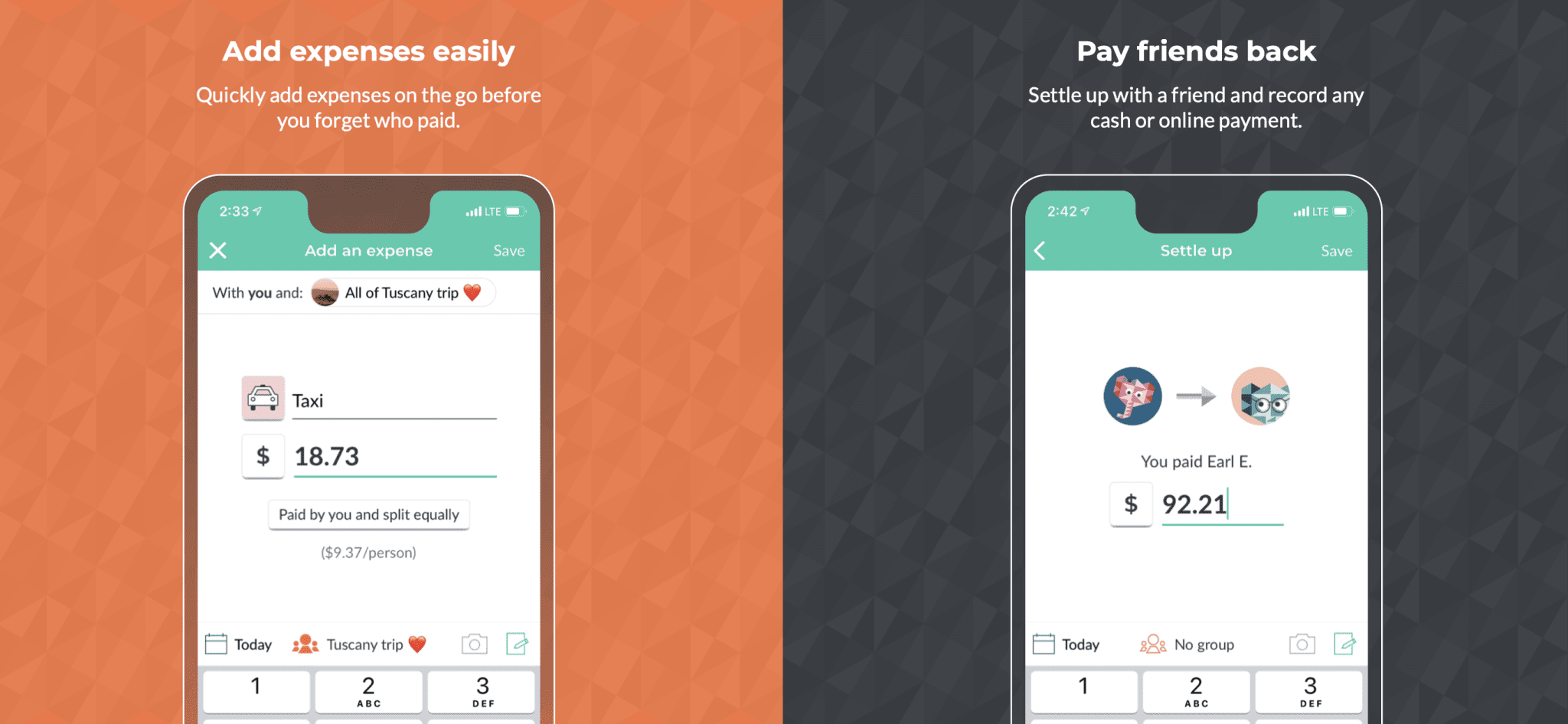
We easily created a “Group” to which we were all added, then could add costs such as gas, drinks, Uber/Lyft, etc. to that Group.
It would then give us a running total throughout the trip and calculate who owed what to whom.
These calculations made it so simple to settle it up at the end of the trip!
I also used it on my trip to Finland and England, which use different currencies, so no worries if you enter British Pounds, Euros, or any other currencies.
The only caveat about varying currencies is that I had to pay to upgrade to Pro to convert, but it wasn’t much. Or you can do the calculations yourself before entering, so it’s all in one currency.
Either way, it’s one of the best apps for group travel in Europe!
Communication Apps
20. WhatsApp
A lot of people use WhatsApp in Europe.
But when I was overseas in the Summer of 2013, I figured out that even with WhatsApp, you have to be connected to WiFi or have data to use it, which really limits it for some users.
It’s still a worthwhile app to have, especially for communicating with tour guides. Just be aware that messages may not appear until a Wi-Fi connection is established.
21. Google Translate
I use Google Translate for simple translations.
You can download the languages you need beforehand—great for looking something up in a pinch or conversing with locals without Wi-Fi or data!
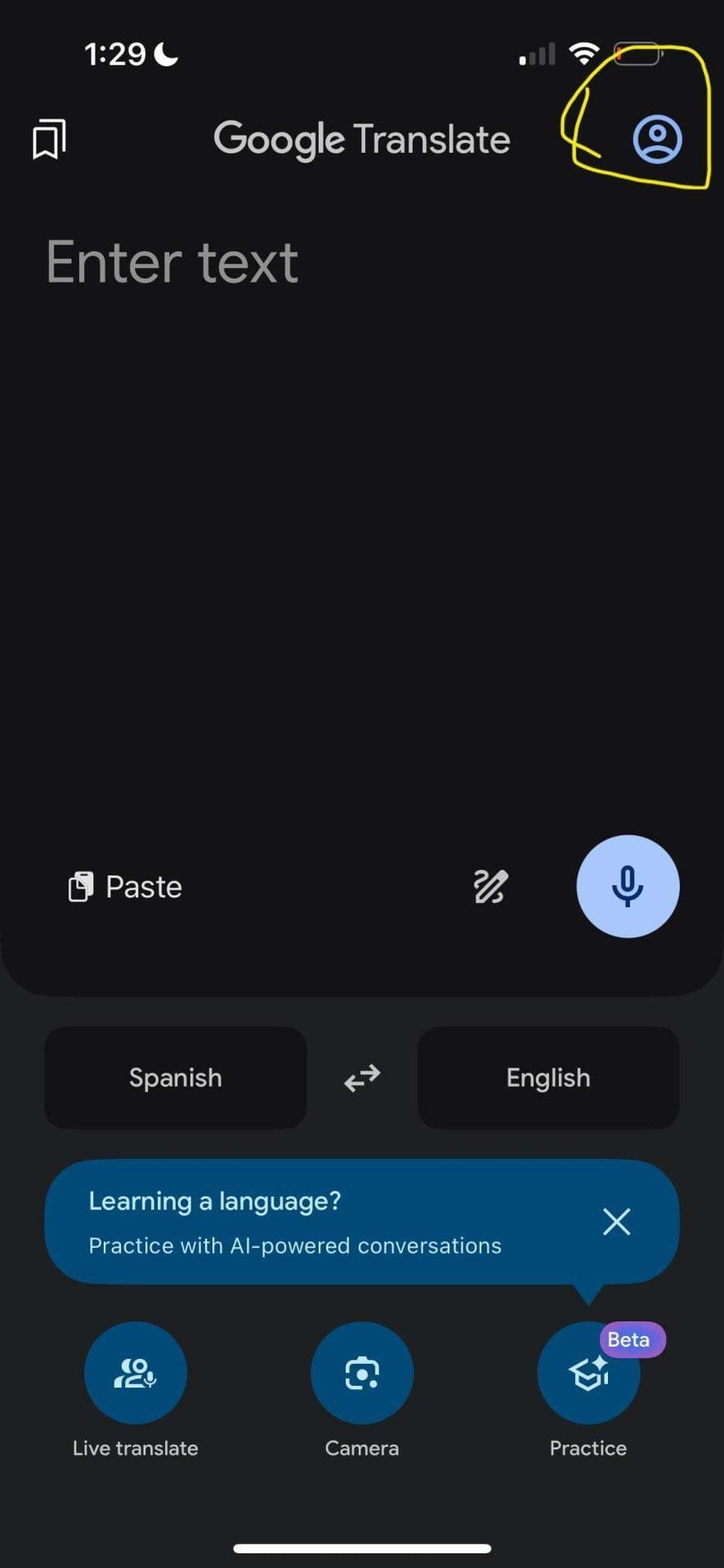
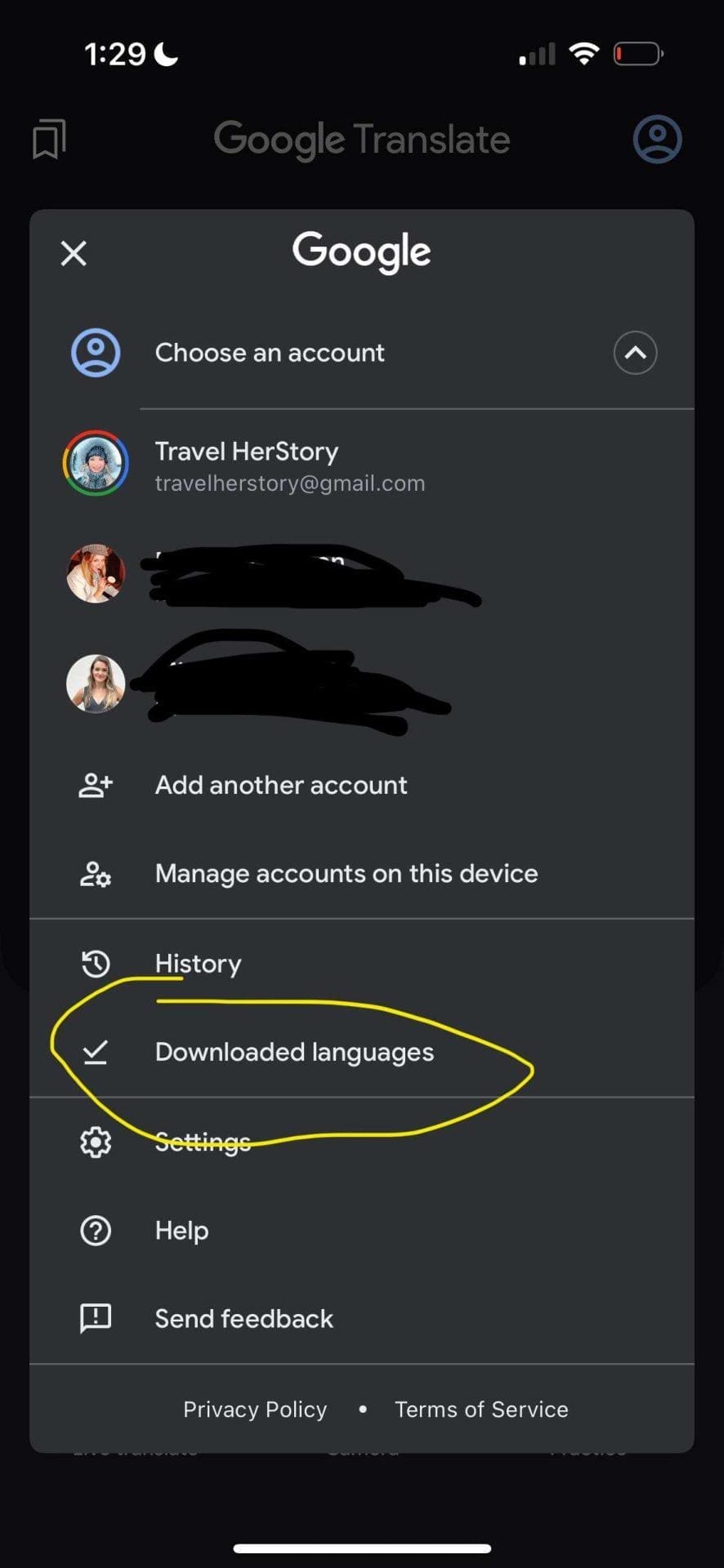
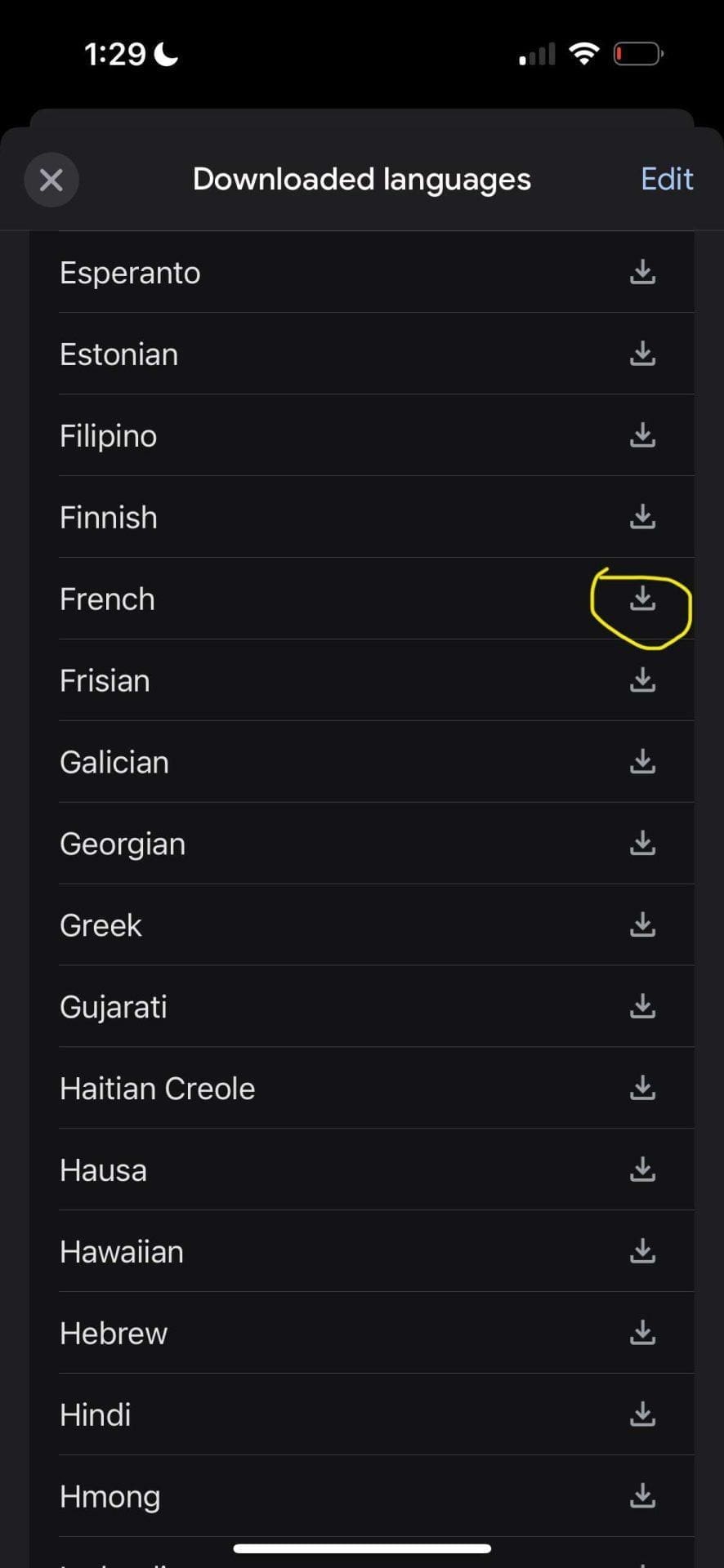
It also has a feature that lets you take a photo of a sign or menu and have it translated, but you’ll need a connection for that.
Typically, I ask the server for the Wi-Fi if I’m super stuck on a menu and don’t want to be a bother, so I can use the Camera option.
22. Mango Languages
If you’re looking to learn some key phrases before you travel to Europe, I highly recommend the Mango Languages app for simple language learning.
If you have a library card, it may be free (it is where I am in California), so check before purchasing.
I found it much easier than Duolingo, and it actually offered helpful phrases!
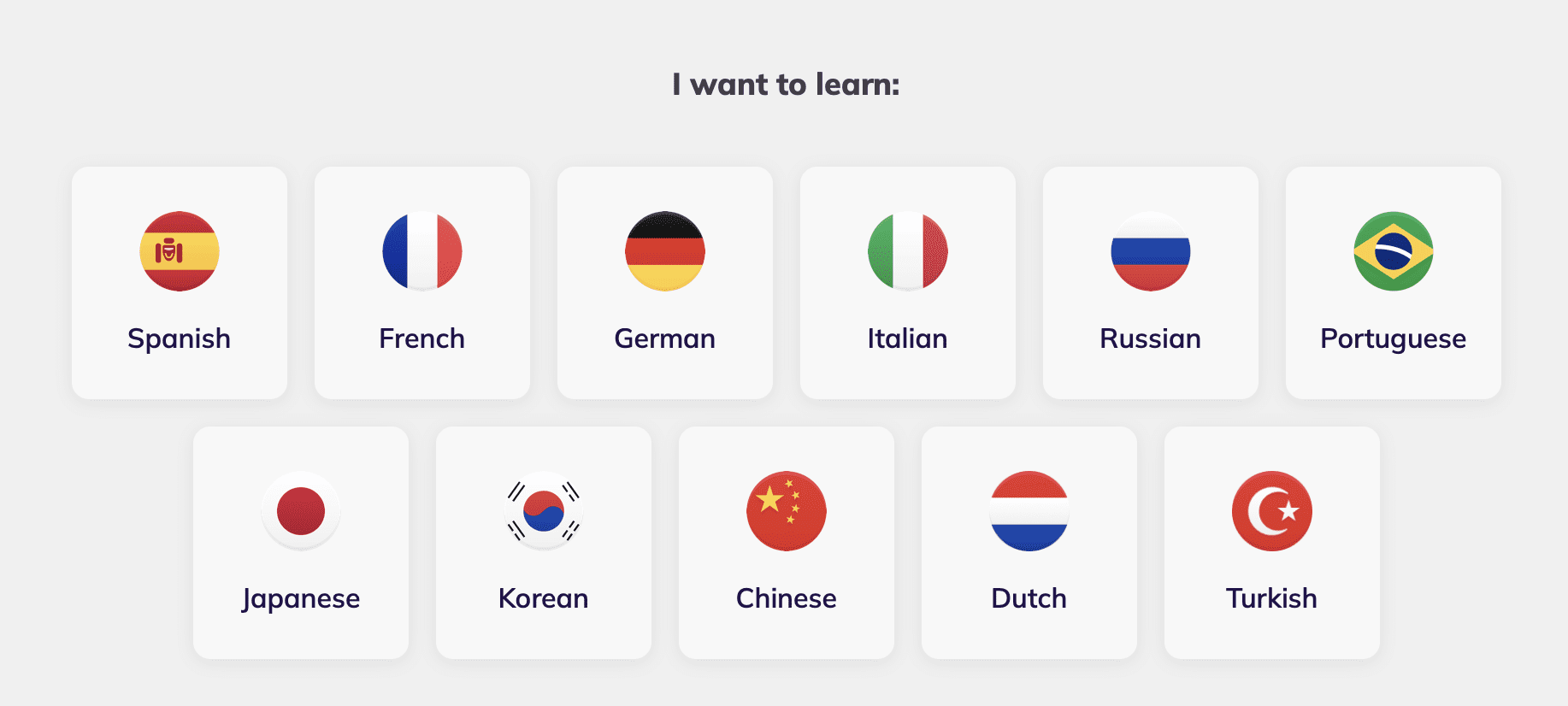
23. Lingopie
If you’re more of a visual learner, Lingopie is great for those looking to deep-dive into a language by using media such as Netflix TV shows, movies, music videos, games, and more.
Accommodation Apps
24. Booking.com / Expedia / Hotels.com
Depending on which site you use to book, you should download the app for that site.
I’ve personally downloaded the Hotels.com, Booking.com, and Expedia apps for past trips.
Sometimes, you can also score discounts by booking via an app, so make sure to check that as well, as it’s an easy way to save some money.
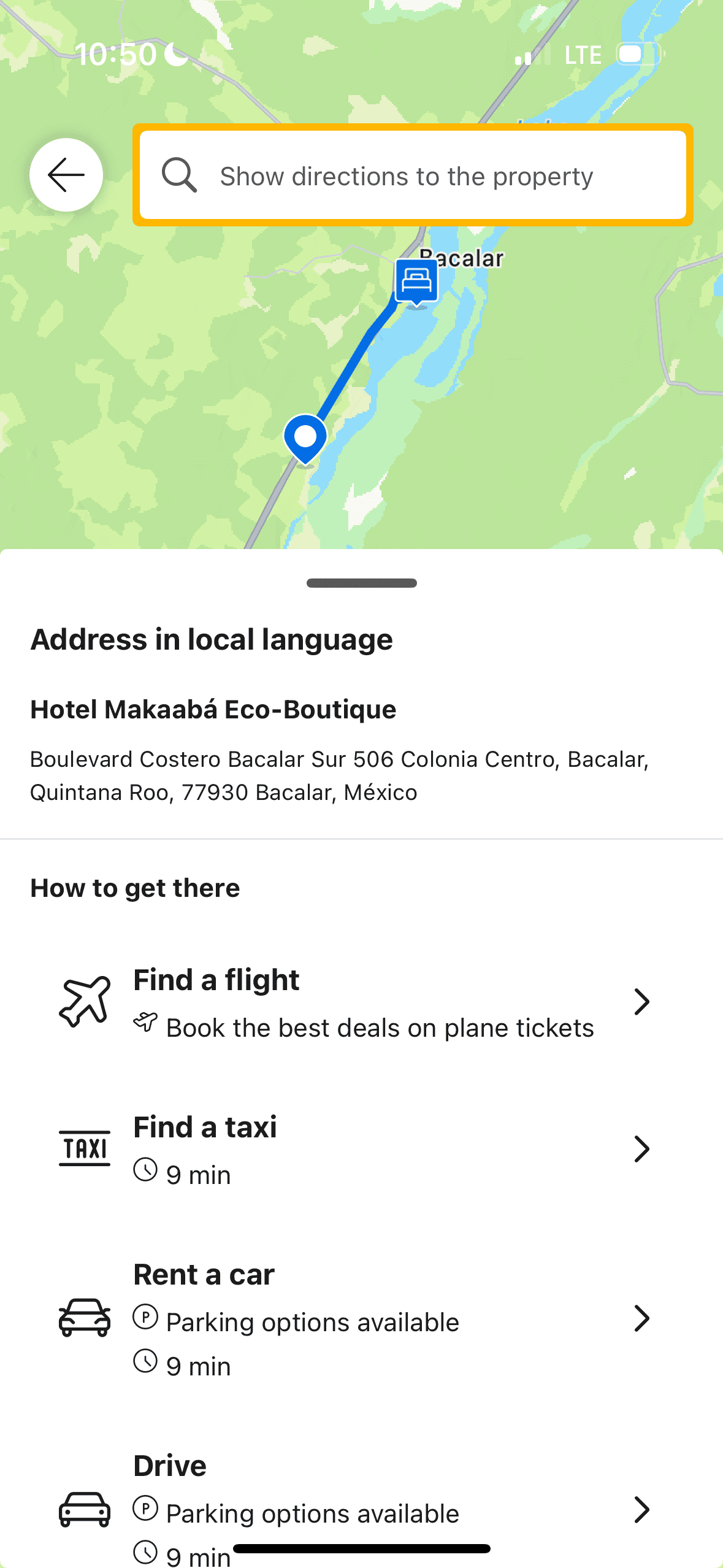
Having all your stays listed in an easily accessible app lets you quickly see the address of the place you’re staying at.
I’ve had issues telling taxis where I want to go, so being able to show them the name written down usually alleviates this problem. Especially when it’s written in the local language, as I’ve seen on Booking.com.
25. Hostelworld
The Hostelworld app is a bit different from hotel apps in that it allows you to connect with other hostel-goers!
Which is a great way to meet people and also see what events are going on.
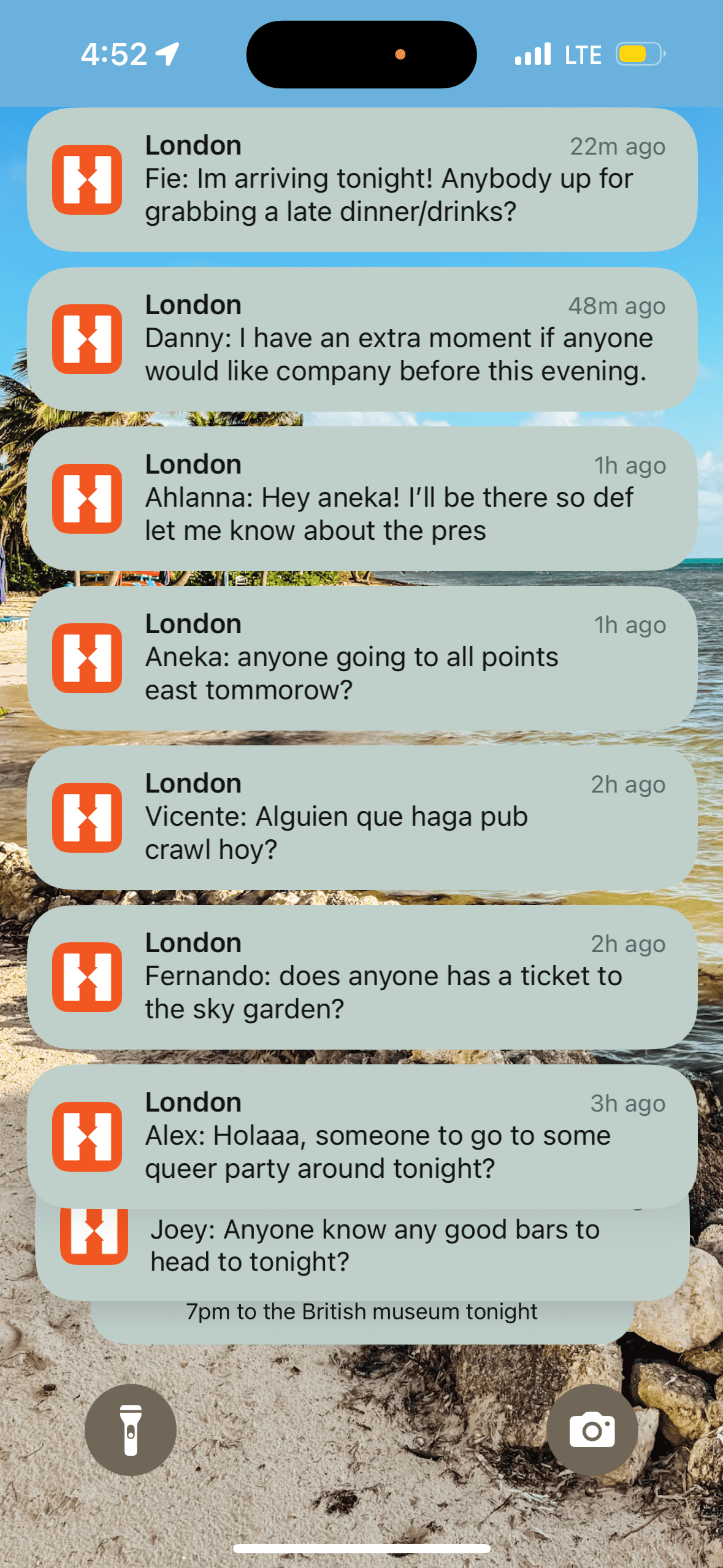
I did find the messaging a bit much by the end of my last stay, but I was in London, which is a huge city, and it also connected me with several other hostels in London since they sometimes partnered on events.
You can turn this off, but if you’re looking to make friends, it is a fantastic feature!
Hostelworld vs Booking.com
These two apps don’t fully overlap in purpose, so it’s less “which is better” and more “which fits your trip.”
Hostelworld is built specifically for the hostel scene and its social side.
Booking.com (along with similar apps like Expedia and Hotels.com) covers a much broader range of accommodation, hotels, guesthouses, apartments, and yes, some hostels too, but without Hostelworld’s social/community features.
My take: if you’re staying in hostels and want the social experience that comes with it, Hostelworld is the better fit.
If you’re booking a hotel, apartment, or just want the broadest possible inventory without the social layer, Booking.com (or Expedia/Hotels.com) covers more ground.
Tours and Activities Apps
26-27. Viator / GetYourGuide
If you’ve booked tours in advance on sites like GetYourGuide, it’s a good idea to download their app.
I’ve gone on many GetYourGuide tours, and having the tour info readily available is wonderful.
I’ve located the pickup or starting point for tours, seen what each tour includes, accessed tickets offline, and more.
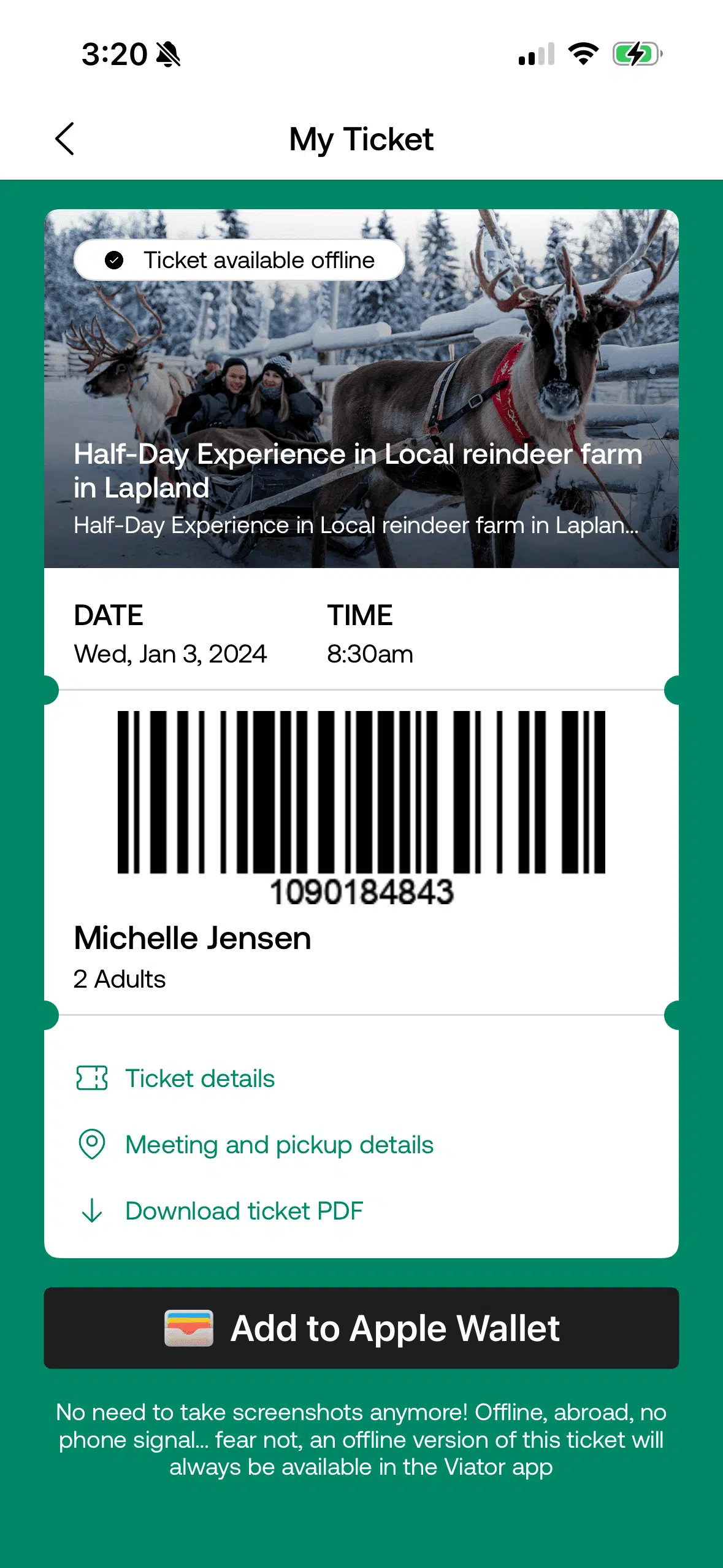
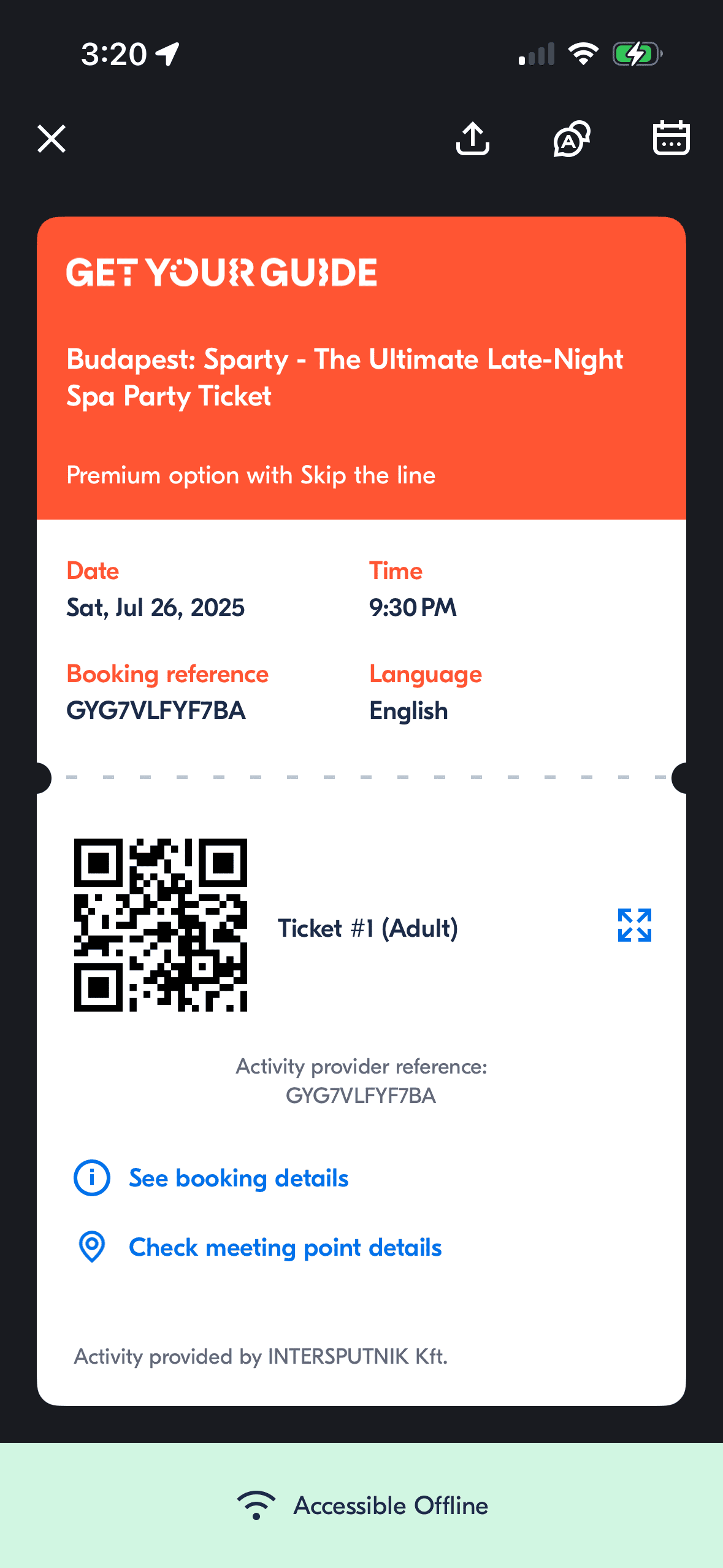
The same goes for booking resources such as Viator.
GetYourGuide vs Viator
Both platforms let you book tours and activities across Europe, and I’ve used both extensively.
The short version: I’ve found that GetYourGuide and Viator each have their strengths, but the differences are detailed enough that I gave them their own dedicated comparison.
For the full breakdown of pricing, cancellation policies, and which platform wins for specific types of tours, check out my complete Viator vs GetYourGuide comparison guide.
28. Tourist Passes
If you plan on getting a tourist pass, such as Go City, I highly recommend downloading their app.
When I visited Sweden, I was able to easily access my Go City tourist pass in their app for entry to museums and other attractions.
In the past, I’ve had a paper pass or card, which is fine, but having it on the phone makes it that much more convenient.
29. Rick Steves Audio Europe
One of the best apps I’ve downloaded for Europe is Rick Steves Audio Europe.
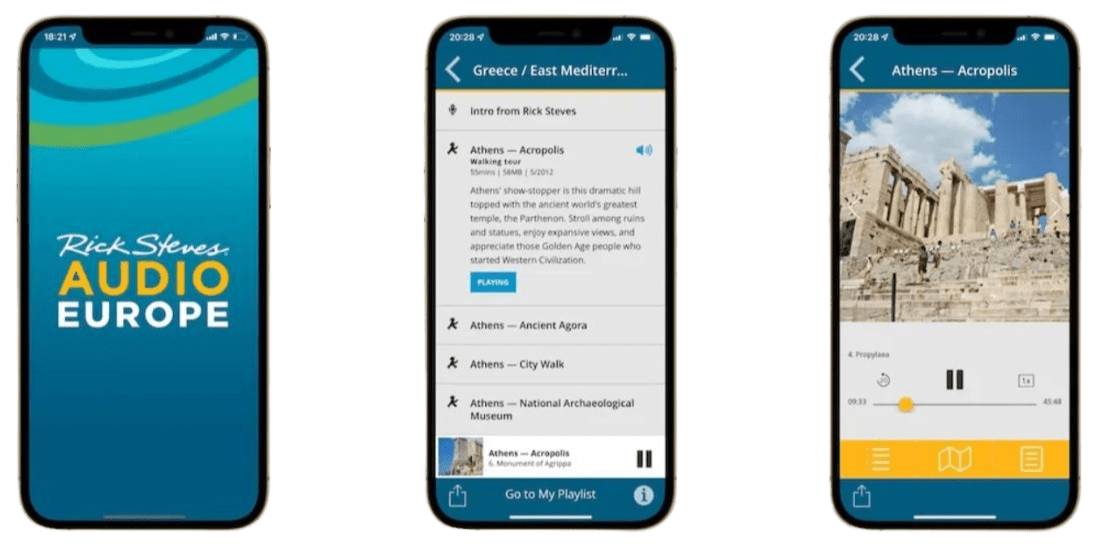
My family and I used it while visiting the Acropolis (part of my 2-day Athens itinerary), and Rick provided all sorts of wonderful information as he led us around the site!
He felt like our personal tour guide! (he’s also one of my favorite travel TV hosts)
I’ve also used his app for general walking tours of cities across Europe. It’s a wonderful alternative if you don’t like guided walking tours and want to go at your own pace.
It also works offline if you download the tour in advance!
30. VoiceMap Audio Guides
I went to Cardiff mostly because I’m a HUGE Doctor Who nerd and that’s where they primarily film the show.
However, when I arrived, I didn’t find any walking tours that were available the dates I was there. Super bummed, I searched if there was an audioguide I could take instead so that the whole trip wasn’t an epic waste.
I discovered the Cinematic Cardiff Tour: Doctor Who Filming Locations audioguide on VoiceMap.
It took me around Cardiff step by step and brought me to over 20 locations!
I honestly was so astounded with this tour because it had such depth, not only about the TV series, but it was practically impossible to get lost with how easy it was.
They have a ton of options, well beyond just filming locations, so check them out for your next Euro-trip, especially as they are also available offline!
Social Apps
31. Bumble BFF
For those of you, like me, who often solo-travel, get Bumble BFF.
I found my travel buddy on Bumble BFF, and we’ve now traveled to several European countries together, including Italy, England, Finland, Germany, Denmark, and Czechia.
32. Meetup
I’ve used Meetup more in the States than abroad, but there are tons of language exchange groups abroad organized by other travelers.

So if you’re trying to practice the language you’re learning and may be a bit shy to do it, this is a great way to get out of your shell in a safe space and converse!
33. Timeleft
I’ve used Timeleft in the United States and also in the United Kingdom.
You fill out a short profile and then pay to join dinners where you’ll meet 5 others.
I’ve found it great if I’m feeling a bit lonely traveling solo and want to have a meal with others, and hopefully meet some friends along the way.
I’ve kept up with a few of those I’ve met abroad and at home.
34. TripBFF
I’ve yet to use TripBFF abroad, but have while at home in the States and have met a few cool digital nomads this way!
It’s easy to set up a profile and see others around you, join events and groups, and chat within the app.
You can also pre-plan by putting in the places you’ll be visiting to get in contact with other travelers in advance.
Misc. Apps for Traveling Europe
35. SetJetters
If you’re a movie buff or TV nerd and interested in film tourism, then SetJetters is a great way to explore while traveling, as it’s the world’s largest mobile database of movie and TV scenes.
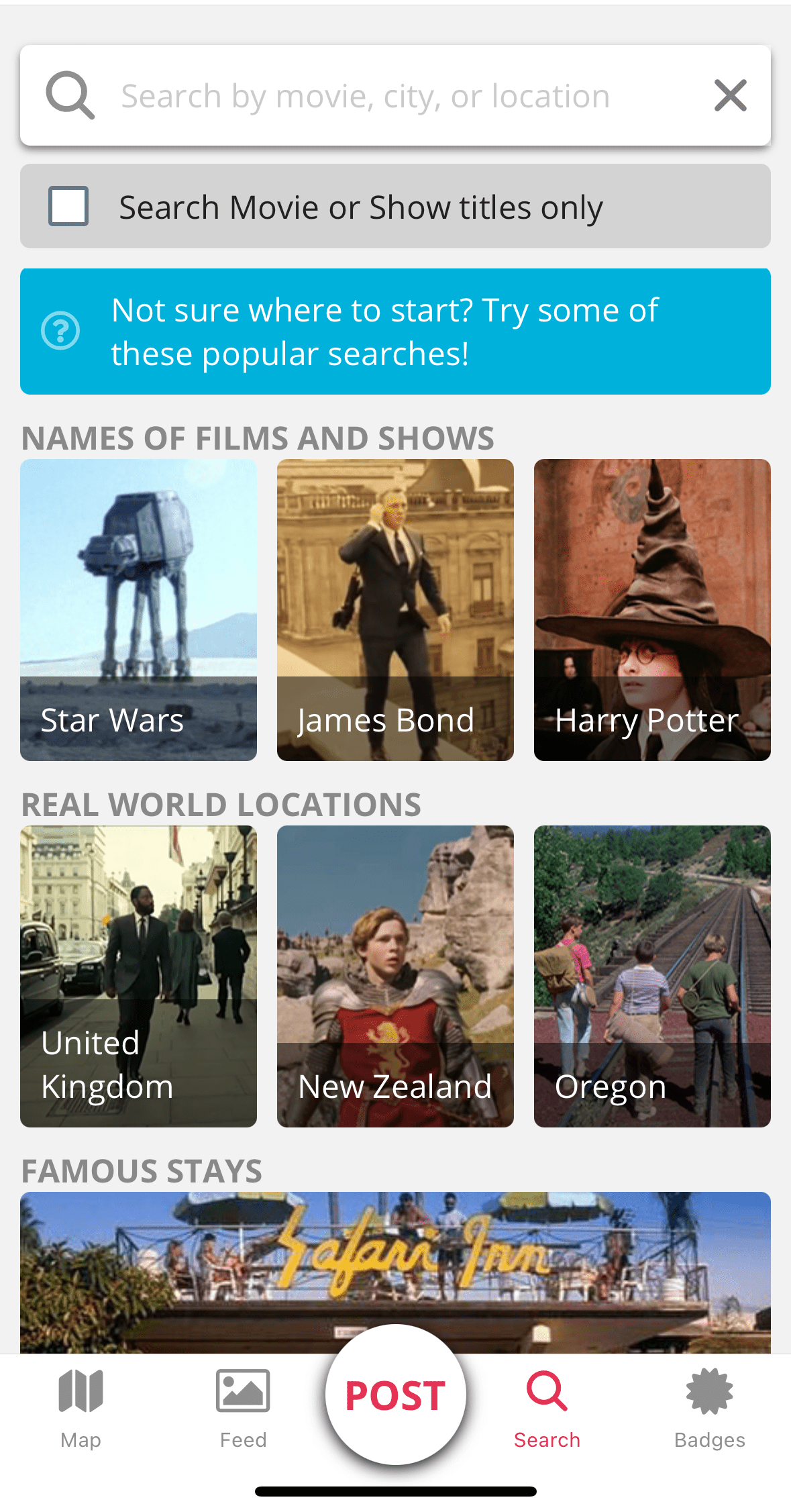
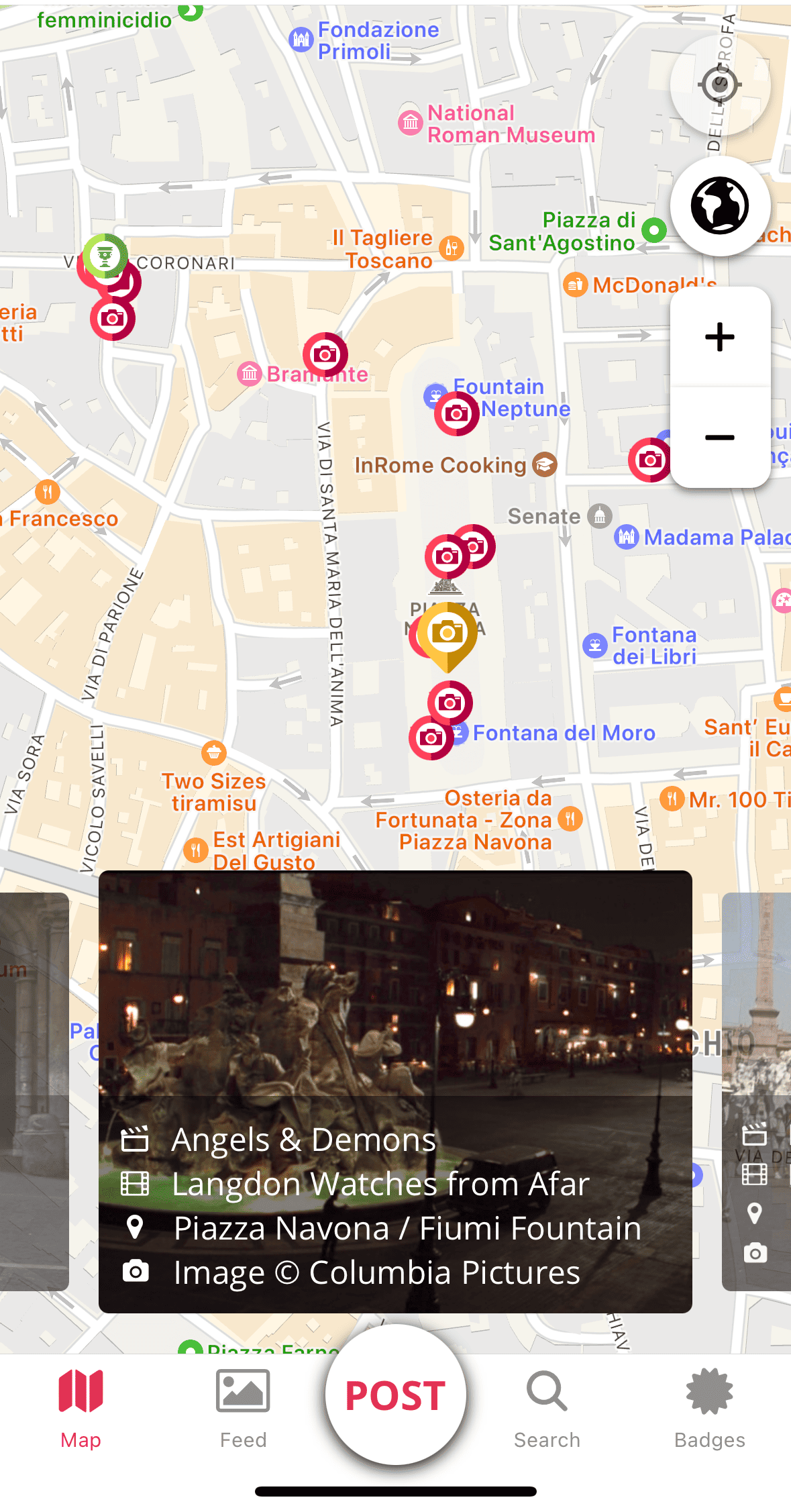
I love visiting filming locations, so this app is right up my alley!
I found it easy to use and filled with loads of places I didn’t even know were filming locations.
For Europe, it’s packed with locations from Harry Potter, Star Wars‘ Andor, Game of Thrones, and more!
You can search for locations on their map or search page, making it easy to research before your trip (my list of movies set in Europe is an added source of inspiration).
If you create an account, you can earn badges by collecting scenes, completing challenges, and posting ShotSyncs, turning the app into a bit of a scavenger hunt!
And for scenes they don’t have just yet, you can submit a request.
36. Northern Lights
If you’re traveling to see the Northern Lights in Europe, download the My Aurora Forecast & Alerts (Google Play Store) (Apple App Store).
It’ll provide you with alerts on when it is best to view the Northern Lights, live Aurora webcam footage, and where a good viewing location may be.
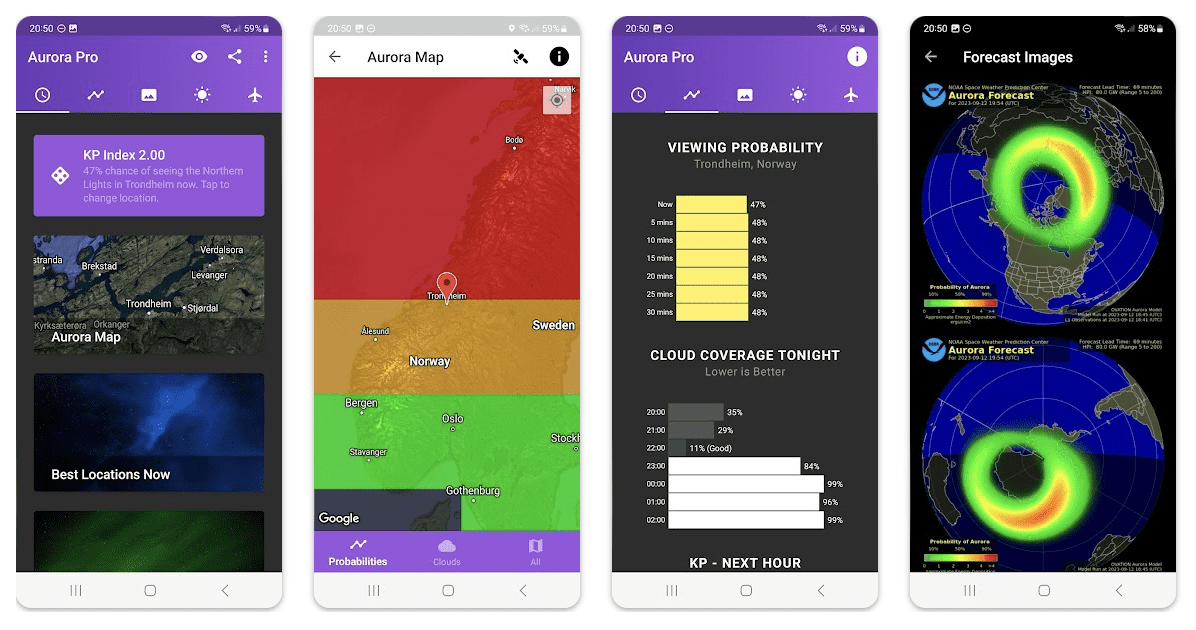
During the Finland trip with my travel buddy, we actually used three different apps, but this is the one we used the most.
Best of Apps
Need help picking and choosing which is worth the space on your phone?
Here are my top picks:
Best Offline Apps for Europe Travel
- Maps.me — Full offline navigation, including walking and driving directions, after downloading country maps in advance
- Google Translate — Offline translation once you download your target languages ahead of time
- Apple Wallet / Google Wallet — Tap-to-pay and stored tickets work without a connection
- Rick Steves Audio Europe — Self-guided audio tours that work offline once downloaded
- VoiceMap Audio Guides — Step-by-step audio tours available offline
- Flixbus / Omio — Tickets remain accessible offline, even without real-time updates
Best Transportation Apps in Europe
- Citymapper — Real-time transit info with live delay alerts and stop notifications
- Maps.me — Offline driving and walking directions, with some public transport routing
- Omio — Trains, buses, flights, and ferries across Europe in one app
- Flixbus — Dedicated bus booking and ticket access across multiple countries
- Uber / Lyft — Convenient, trackable rideshare options, especially useful for solo travelers
Best Budget Travel Apps for Europe
- Omio — Find the best train and bus fares, especially when booked in advance
- Splitwise — Accurately split group expenses across multiple currencies
- My Currency Converter — Stay aware of real costs while spending abroad
- Hostelworld — Budget-friendly accommodation with social features built in
- Mango Languages — Often free with a library card, no cost to learn key phrases
Final Thoughts: My Top 5 Europe Travel Apps
After testing dozens of apps across 29 countries and over a decade of travel, these five are the ones I genuinely never leave home without:
- Maps.me — My non-negotiable. From rural Greece to road-tripping through southern Germany, this has never let me down, even with zero data or Wi-Fi.
- Omio — Booking trains and buses across borders used to feel like a logistics puzzle. Now it’s one app, and I leaned on it constantly during my 4.5-month, 18-country Euro trip.
- Google Translate — Downloading offline languages before I leave has saved me more times than I can count, especially with menus and signs I’d otherwise be guessing at.
- Citymapper — Once a city’s covered, the live delay alerts make navigating public transit feel almost effortless, no more wondering if I’m about to miss my stop.
- Splitwise — Group trips used to mean someone awkwardly tracking receipts and possibly someone feeling like they were maybe inadvertently paying more than the others. Now it just does the math for me, currencies and all.
If I had to start completely over with just one phone and an empty App Store, this is exactly the list I’d rebuild first.
Everything else in this guide is genuinely useful, but these five are the ones that have earned a permanent spot on my home screen, trip after trip.
FAQs
What apps should I download before traveling to Europe?
The essential apps for a European trip fall into a few key categories.
For offline navigation, Maps.Me (download city maps before departure) and Citymapper (real-time transit with live alerts) are the top two.
For transportation between cities, Omio covers trains, buses, ferries, and flights across Europe in one app.
For communication, download Google Translate with offline language packs before departure.
For payments, Apple Wallet or Google Wallet enables tap-to-pay at most European transit systems and shops.
For group trips, Splitwise tracks shared expenses across multiple currencies in real time.
If visiting the UK, download the UK ETA app and submit your application at least 72 hours before travel.
Download everything before departure, including offline maps and language packs, as Wi-Fi is less reliable than expected in smaller towns, on trains, and at transit stations.
What is the best offline map app for Europe?
The best offline map app for Europe is Maps.Me.
Maps.Me lets you download entire country maps before departure, so it works with zero data or Wi-Fi, including walking and driving directions in smaller cities and rural areas.
I used it across 29 European countries over more than a decade of travel, including rural Greece and road-tripping across southern Germany.
Google Maps works well as a backup, especially with pre-downloaded city maps.
Do I need an app to visit the UK or Europe?
Yes, two separate travel authorization systems now apply to some travelers (including US citizens).
For the United Kingdom, most non-UK nationals need a UK Electronic Travel Authorization (ETA), applied for through the UK ETA app.
It takes about 5 minutes to complete and costs £20 per application (as of 2026).
Apply at least 72 hours before travel.
On a flight from Oslo to London, I watched a Canadian couple be told they could not board because they hadn’t submitted their ETA, even though they were only transiting through the UK, so the ETA applies even for layovers.
For the European Union’s Schengen Area, a similar system called ETIAS is scheduled to launch in late 2026, with a confirmed fee of €20 per application and mandatory enforcement beginning in 2027.
A 6-month transitional period means entry won’t be refused immediately, but don’t rely on that grace period, apply as soon as the system opens.
Do travel apps work offline in Europe?
Some do, and some don’t, so it’s worth knowing which is which before you go.
Maps.me, Google Translate (with downloaded language packs), Apple Wallet, Google Wallet, and Rick Steves Audio Europe all work fully offline once set up in advance.
Others, like WhatsApp, Citymapper’s live transit alerts, and Flixbus’s real-time updates, require data or Wi-Fi to function properly.
The safest approach is downloading everything you can in advance while still connected, since Wi-Fi is less reliable than expected in smaller towns, on trains, and at transit stations.
Is Google Maps enough for Europe travel?
Google Maps works well as a backup, but it has one real gap: My Maps, the feature used to build custom itinerary maps with pinned attractions, isn’t available offline, even if you’ve downloaded the base city map.
For travelers relying on a pre-built itinerary map (like the ones found in many travel blogs, including this one), that means you’d need data or Wi-Fi just to see your pins.
Pairing Google Maps with Maps.me, which works fully offline with zero data, covers that gap.
What apps help with language barriers in Europe?
Google Translate is the essential one, since it works offline once you download your target languages in advance, and its camera feature can translate signs or menus on the spot (though that specific feature does need a connection).
For travelers who want to learn key phrases before their trip rather than just translate in the moment, Mango Languages (often free with a library card) and Lingopie, which teaches through shows, movies, and music, are both solid options for building actual language skills ahead of time.
What apps save money while traveling in Europe?
A few apps consistently save money across a European trip.
Omio helps find the best train and bus fares between cities, especially when booked in advance.
Splitwise makes splitting group expenses simple and accurate, even across multiple currencies.
A currency exchange app, like My Currency Converter, or the built-in iPhone Calculator’s currency conversion feature, helps you stay aware of real costs while spending abroad.
And booking tours and attractions in advance often unlocks lower prices than paying on-site.
Related Travel Tech & Apps Guides
- The Best Apps for Traveling in Europe that are FREE
- 27 of the Best Travel Apps for Paris That are FREE
- Bumble BFF Review: How I Easily Met My Travel Buddy
- Review of Mango Languages: Free Way to Learn a Language
- Is Lingopie Useful to Travelers? My Honest Review
- How to Use the Google Translate App for Communicating Abroad
- What’s the Best Camera for Solo Travel? Honest Review of the Insta360 GO Ultra
Want to remember this? Pin this The Best Apps for Traveling in Europe that are FREE article to your favorite Pinterest board!
Great picks! Another one worth adding is ATM Fee Saver. It finds no-fee ATMs worldwide, and since withdrawal fees can stack up quickly, it’s a lifesaver. Plus, it includes limits and a fee calculator—super useful!
Hey Ronnie! First, thanks so much for taking the time to read my blog. Second, I will certainly check this app out as it sounds super helpful, as my cousin and I recently had this issue in Belize!